Posted by Visio Guy on 29th March 2008 - 1274 views
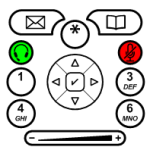
Recently we were introduced to the Cisco IP Telephone Shapes, and learned how they could be improved in the article: Making Shapes More Efficient: Using Fewer Shapes & Groups.
Today we're going to focus on what happens when the Cisco shapes get resized, and discuss a technique for making the lineweight proportional to the size of the shape.
Read the rest of this entry »
Posted in Development, ShapeSheet | 7 Comments »
Posted by Visio Guy on 28th March 2008 - 1428 views
You may have read our recent post on Cisco IP Telephone Shapes, and perhaps downloaded the shapes. While give-aways and freebies are nice, we at Visio Guy like to go further. We like look behind-the-scenes and talk about Visio development-related issues in order to give our readers a deeper understanding.
Before we released the Cisco IP Telephone shapes, we performed a number of tweaks to make them more efficient and better behaved. This article discusses a few of those operations--the whys and hows of making your shapes more efficient, and some tricks for ensuring proper resize behavior!
Read the rest of this entry »
Posted in Development, ShapeSheet | 3 Comments »
Posted by Visio Guy on 27th March 2008 - 5351 views

One of our Visio Guy readers recently sent us some very well-drawn shapes for Cisco IP Telephone buttons. Let's all send a warm thank you very much to Art Braune for adding to the quality and usefulness of this site!
Art told me he would send me a blurb, describing how he uses the shapes, but I thought I'd take a guess. After quickly Google-ing for Cisco IP Telephone, but without reading too much, I surmised that this thing is highly customizable. So it would make sense that IT departments would want to document how they had modified the phone, then send out a quick-reference card (or booklet) to company employees.
Read the rest of this entry »
Posted in Network | 3 Comments »
Posted by Visio Guy on 23rd March 2008 - 4351 views
Well, it's been a while since we offered an overdrawn Visio Network shape, like the Logitech VX Revolution Mouse Shape, the Thinkpad Network Shape. or the USB Stick Shape.
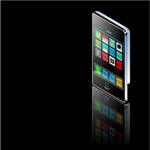
Since it's Easter Sunday, and things are slow around here, I was in the mood to create something pretty. And of all the new gadgets on the market, few are prettier than the sensational Apple iPhone and the Apple iPod Touch.
So for you Apple fans who still use PCs, and for you die-hard Windows fans who appreciate a bit of sarcasm, please enjoy the Apple iPhone Visio Network Shape.
<haha> And NO, there won't be a Mac Version of this shape... </haha>
Read the rest of this entry »
Posted in Network, Shapes | 7 Comments »
Posted by Visio Guy on 18th March 2008 - 3676 views

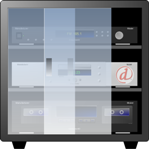
Today we’re going create a glass effect, using basic end-user features of Visio.
With a few simple techniques, you’ll be able to add pizzazz to your elevation drawings of windows, cabinetry, video monitors, rack-systems.
Now, maybe you’re thinking; Visio is not Adobe Illustrator, and Visio diagrams are supposed to be simple, boring, and utilitarian. A quick glance at this site might bring you to question that notion.
But don’t just take our word for it…
Update: You can now download a Visio drawing with samples shapes at the end of this article
Read the rest of this entry »
Posted in Development, Illustration, Power User, Shapes | 9 Comments »
Posted by Visio Guy on 17th March 2008 - 1891 views
If you're a developer, looking to create Visio-based solutions, then you're going to need to programmatically connect Visio shapes together. Wouldn't be nice to have a snippet or two to start from?
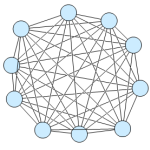
Today's post shows you VB and C# code that instructs Visio to connect every shape to every other shape, and to create a beautiful mess, like that shown in the image at left.
Read the rest of this entry »
Posted in Code, Development | 7 Comments »
Posted by Visio Guy on 4th March 2008 - 1777 views
The easy answer to this questions is: two. A single-shape can have two colors in its fill: a Fill Color and a Pattern Color.
If you want more, you have to group separate, differently-colored shapes together. In fact getting more colors is one of the major reasons that shapes become groups in the first place.
But if two were the actual answer, well, this article would over.
You see, Visio-Guy-friend Saveen Reddy has been up to his usual tricks of pushing Visio beyond the obvious and into the intriguing...
Read the rest of this entry »
Posted in Development, Illustration, Power User, ShapeSheet | 10 Comments »
Posted by Visio Guy on 3rd March 2008 - 1427 views
If you have a need to create repeating graphical elements, then learning how to create custom line patterns in Visio is absolutely essential.
Visio custom line patterns offer a power and flexibility that will save time for both your end-users and your solution development effort. And your final product will have a refined and elegant look.
Recently, John Goldsmith of Visual Signals, UK posted two excellent articles about creating custom line patterns in Visio.
Read the rest of this entry »
Posted in Development, Illustration | 2 Comments »
Posted by Visio Guy on 1st March 2008 - 2667 views
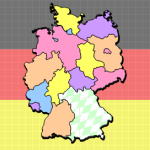
The Geographic Map Shapes & Drawings are an extremely popular feature of this web-site. And since a lot of our readers speak German, or come from Germany, it seemed like this post was long overdue.
So today we present a map of Germany and it's states--the Bundesländer--as they are called in German.
Read the rest of this entry »
Posted in Drawings & Templates, Maps & Geography, Shapes | 4 Comments »