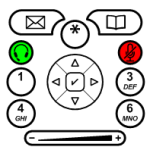
One of our Visio Guy readers recently sent us some very well-drawn shapes for Cisco IP Telephone buttons. Let’s all send a warm thank you very much to Art Braune for adding to the quality and usefulness of this site!
Art told me he would send me a blurb, describing how he uses the shapes, but I thought I’d take a guess. After quickly Google-ing for Cisco IP Telephone, but without reading too much, I surmised that this thing is highly customizable. So it would make sense that IT departments would want to document how they had modified the phone, then send out a quick-reference card (or booklet) to company employees.
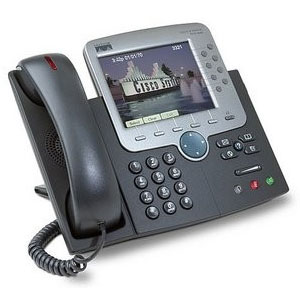
So, like, how do I work this thing?
About the Shapes and Downloads
The shapes are easy to use, clearly drawn, and downright attractive. Have a look:
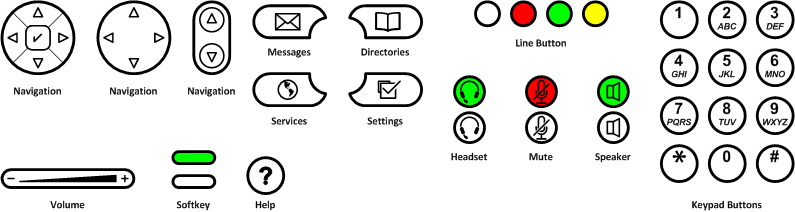
click to view larger image
There are two versions of the shapes. One with white-backgrounds, the other with clear-backgrounds, so the color of the phone can show through, if you want.
Art also graciously included two other Visio files:
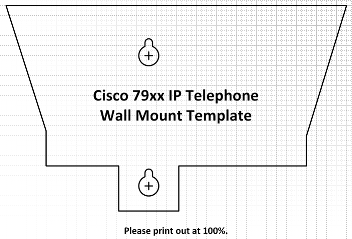
Cisco 79xx IP Telephone Wall Mount Template.vsd is drawn to-scale, so that you can print it out, accurately drill holes in your office wall, and hang that phone to free up valuable desk space!
Calibri Default Font.vst is a Visio template that has the Calibri font set as the default. Visio unfortunately has no notion of a “Default.dot” template, like Word does, where you can forever change your default styles. If you start a drawing using this template, you get the Calibri font from the get-go.
Download “Visio Cisco IP Phone Buttons Shapes”
s!Aj0wJuswNyXlhSu8PNWldBKUruRW – Downloaded 6879 times – 103.00 BNow, Art’s shapes are well-built and precisely drawn, but we found a few items that we wanted to tweak. In the following articles, we analyze these shapes from a Shape Designer’s point of view, and see what modifications we can perform to make them even better.
So for you technically-minded readers out there, be sure and have a look at:

[…]Video conferencing can cut costs and improve communication but, like any other technology, it must be used properly. That means effectively dealing with holdouts and setting reasonable rules[…]
This is on the right track, I have been looking for a printable button layout for the 79XX that can be filled out by the customer with the features and numbers that they want, these are a great start to what I’m looking to accomplish. Thank you
Hi Dan,
Thanks for the feedback. Feel free to leave suggestions for improvements to the shapes.
A lot of the stuff I create, I don’t actually use in a “real job” situation, so it’s nice to hear what people like and what could be improved as per their own needs and jobs.
Luckily, these Cisco shapes were submitted by Art Braune, who has a real job 🙂 and has real needs for Cisco keypad shapes!
Hiya! I simply would like to give an enormous thumbs up for
the great information you have got right here on this post.
I can be coming back to your blog for extra soon.
Now I am going to do my breakfast, afterward having my breakfast coming over again to read
other news.
It is time to do NEW updated Cisco IP Phone icons for the NEW Cisco Phones.
http://www.cisco.com/c/en/us/products/collaboration-endpoints/unified-ip-phone-7800-series/index.html