 For small documents, turning pages in Visio is pretty straightforward. But when your file grows to be 30 or 60 pages long (yes, people do this in Visio!), some other techniques will make your Visio-document-navigation life a bit simpler.
Code
New Book: Mastering Data Visualization with Microsoft Visio Professional 2016
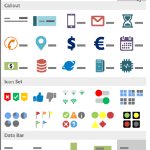
There’s a new book on data visualization with Visio. And it is probably as good as its title is long!
[Read more…] about New Book: Mastering Data Visualization with Microsoft Visio Professional 2016
Visio Nerd Videos – For Developers!
If you’re interested in the deeper workings of Visio, then you’ll be interested in a series of videos that I’ve been in remiss in reporting!
Deleting Visio Shapes Programmatically
 A user recently asked a question in the forum; “How can I (programmatically) delete all but one shape on a Visio page?” While I answered the question directly in the forum, I thought I’d expand on the topic in a full-blown article.
Fit All Pages to Window in a Visio Document
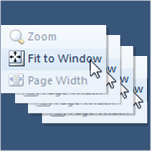 If you create Visio documents with lots of pages, you probably like to quickly flip through all of them to check for visual consistency.
But if each page has been zoomed or panned, it can be frustrating to have to click Fit to Window for each page.
But with a little macro code, you can make your life a lot easier!
[Read more…] about Fit All Pages to Window in a Visio Document
New Article about Validation Rules in Visio 2010
 What if you could click a button and have Visio notify you if a drawing was incorrect, had errors, or did not follow your company’s standards?
Visio 2010 offers this capability, and more information is coming out on how to use validation and develop custom rules every day!
[Read more…] about New Article about Validation Rules in Visio 2010
Stress Test: Nesting “IF” Functions in the ShapeSheet
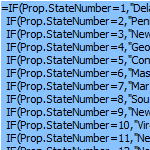 A Visio Guy forum member asked the question: “How many nested IF statements can I stuff into a ShapeSheet formula?”
“Good question!”, I thought and went off to investigate!
[Read more…] about Stress Test: Nesting “IF” Functions in the ShapeSheet
Using Visio 2010 Containers & Lists to Create Server Drilldowns with Excel Data
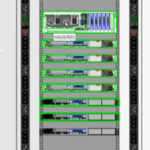 If you aren’t interested in using Visio 2010 for creating sophisticated network rack diagrams, then you probably should be.
Today, fellow Visio-fan Al Edlund tells you why he loves to do this, shares insights on the matter, demos solutions he built, and offers a complete VS 2010 project, written in VB.NET, to help you get started!
The code shows you how to get network data from Excel, how to use the new List and Container shapes in Visio 2010, and how to manipulate them programmatically. All this to make your network diagrams even more powerful and easy to use!
[Read more…] about Using Visio 2010 Containers & Lists to Create Server Drilldowns with Excel Data
What’s My Shape’s ID?

Visio shape IDs are important.
No, seriously!
If you are developing with Visio, you will need to know how to get at them.
We’re here to show you how!
Automatically Number & Connect Shapes – With Code!
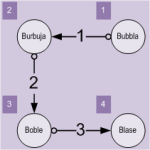 Do you need to number shapes automatically? Do you need to connect shapes in the order that they are numbered?
If you are developing an automated, graphical solution on top of Visio, you might face these requirements. This article and accompanying download will help you to meet them.
Or if you just want tools for step-numbering and ordered connecting, you might be able to modify and extend the VBA code contained in today’s download to help you get the job done.
[Read more…] about Automatically Number & Connect Shapes – With Code!