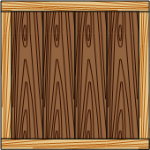
 One of my customers asked me about wood-grain fill patterns for Visio.
I had thought that Visio shipped with some wood-grain custom patterns, but when I went looking, I didn’t find much.
So…
Smart graphics for visual people
One of my customers asked me about wood-grain fill patterns for Visio.
I had thought that Visio shipped with some wood-grain custom patterns, but when I went looking, I didn’t find much.
So…
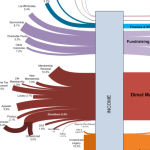 If you love Sankey Diagrams like me, you’ll be interested in how one Visio Guy reader created a very sophisticated flow using simple techniques.
He did it all in Visio, and the result is pretty impressive!
 While I was writing about the Visio Spectrum Shape the other day, I started thinking about the various ways that you could use this eyesore fabulous explosion of color in your own Visio SmartShapes.
While the spectrum offers a rainbow of tints, it only comes in one form: RECTANGLE. So what if you want to spice up some arrows, or circles, or…flowchart shapes?

Attractive, realistic-looking Visio equipment shapes don’t have to be heavy and inefficient.
In this article, we’ll look at some innovative A/V equipment shapes from D-Tools that offer the win-win scenario of good-looking and light weight.
We’ll tear these SmartShapes apart and show how you can use custom line patterns and creative shadow techniques to add pizzazz to your shapes, without adding bloat!
[Read more…] about Create Better-looking, More-efficient SmartShapes
 Recently we were introduced to the Cisco IP Telephone Shapes, and learned how they could be improved in the article: Making Shapes More Efficient: Using Fewer Shapes & Groups.
Today we’re going to focus on what happens when the Cisco shapes get resized, and discuss a technique for making the lineweight proportional to the size of the shape.
[Read more…] about Smart LineWeight: Bigger Shape, Thicker Lines
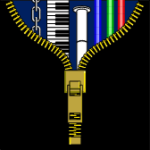 If you have a need to create repeating graphical elements, then learning how to create custom line patterns in Visio is absolutely essential.
Visio custom line patterns offer a power and flexibility that will save time for both your end-users and your solution development effort. And your final product will have a refined and elegant look.
Recently, John Goldsmith of Visual Signals, UK posted two excellent articles about creating custom line patterns in Visio.
[Read more…] about Release the Power of Visio Custom Line Patterns
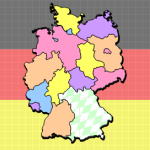 The Geographic Map Shapes & Drawings are an extremely popular feature of this web-site. And since a lot of our readers speak German, or come from Germany, it seemed like this post was long overdue.
So today we present a map of Germany and it’s states–the Bundesländer–as they are called in German.
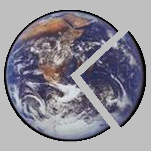 Sure you can import bitmaps and images for use as Visio shapes. But imports are always rectangular, and they can have unappealing or distracting backgrounds that you’d rather not look at. While Visio doesn’t have a masking capability or an irregular-cropping feature, there is a technique that will allow you to get the same effect!

If you use Visio for CAD-like purposes, you might need to make revisions or “AS-BUILT” modifications to your drawings from time to time. Often this is shown by drawing a squiggly cloud, or bubble, around the portion of the drawing that has been modified.
I’ve created three shapes for doing this for you to download.