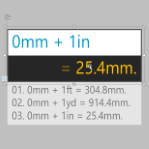
I’ve created a fancy calculator shape that evaluates mathematical expressions, and allows you to save the results, like the ticker-tape on an adding machine!
[Read more…] about Calculator with Log SmartShapeSmart graphics for visual people
I’ve created a fancy calculator shape that evaluates mathematical expressions, and allows you to save the results, like the ticker-tape on an adding machine!
[Read more…] about Calculator with Log SmartShape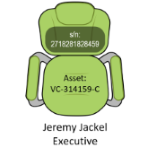 Many Visio users discover how to insert fields into the text of Visio shapes to display data contained in Shape Data fields. But they become frustrated when they add multiple text blocks to grouped shapes, as the process becomes more tricky. Let’s take a look at how to do this!
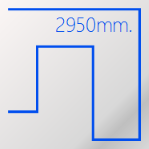 If you use Visio to create scaled plan views that include electrical equipment, you may have a need to rough-out actual, to-scale cable paths–and even get accurate estimates as to how much cabling you’ll need. This article explores just how you can go about it!
[Read more…] about Simple Cabling Shape with Length Reporting

The interesting problem of fitting words into arbitrarily-sized rectangular areas has been lurking in the dark corners of my D:\ drive for a while now. Today I decided to do something about it, and offer you a cool SmartShape to create interesting visuals with.
The area-filling text shape lends itself to creating Word Clouds and graphics that use text in a matrix- or tabular style.
 If you’ve ever wondered how to convert text to paths or vectors in Visio, then this article is for you–although the solution might not be what you expected!
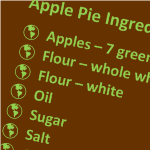 A customer/fan asked me the other day how to create custom bullets in Visio using a character he’d carefully selected from the Wingdings font. He had dug his way deep into the text editing dialog, and had actually found the right place for customizing bullets, but he couldn’t quite get it to work.
It turns out he was making it just a bit more complicated than it needed to be. When I looked into it, I found that the process was indeed a bit unclear. So let’s walk through creating custom bullets in Visio, and clear up any muddiness that you might encounter along the way.
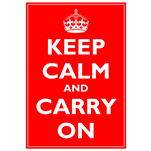 You might have seen this poster around town, on the internet, or decorating a colleague’s belly. More likely you’ve seen a humorous variation–it seems to have developed into quite the meme as of late.
Maybe you have your own funny ideas, but have dreaded futzing with MS Paint to realize them? Well Keep Calm and Read On. It just got simpler!
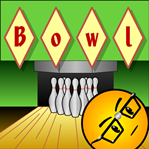 If you need a catchy title for your Visio diagram, then diamonds could be your best friend!
Today’s Visio SmartShape encases each character you type in it’s own individual diamond for that perfect Retro or Argyle look!
(Just what you were looking for, eh?)
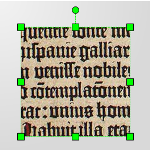 If you are designing your own shapes, you’ll spend a lot of time manipulating text.
And the more you learn about Visio’s capabilities, the more you’ll want to control shape text. Oh yes, you’ll want to rotate it, reposition it, evaluate it, make it reflect data, make it resize with the shape, and much, much more.
Today we have a treatise on twelve text tips for both end-users and ShapeSheet fans.
 The other day, I visited one of my favorite coffee houses in Munich: Aran. While sipping my mocha, the logo on the cup gave me the idea for a Visio SmartShape:
A title shape that automatically places each character in a circle.
The cup graphics look something like the thumbnail you see at the beginning of this article. In fact, I used the newly-created SmartShape to make that a-r-a-n that you see in the square.
[Read more…] about Run Circles Around Your Text With the Circle-text Title SmartShape