 I wanted to share some tips about using Visio’s Boolean operations, and came up with this topical subject to do it!
ShapeSheet
Ordered List Shapes
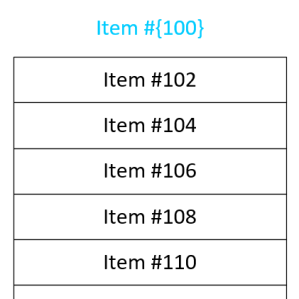 I frequently have the need to get text into separate boxes in Visio. And often I need those boxes to have some sort of incremented series, such as 1, 2, 3, or A, B, C. I’ve built some SmartShapes to help ease my pain, and I’m sharing them with you today!
Extreme Scales in Visio
 Since we’re all stuck inside, I recently decided to go exploring. No, not outside, but to the outer reaches of Visio scaled drawings!
Constrain Control Handle to Circle
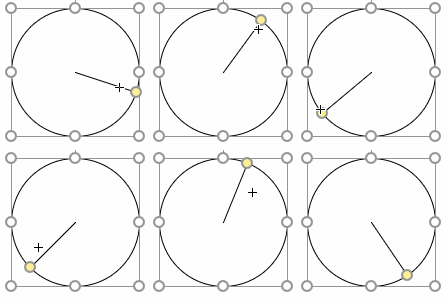
If you’ve ever needed to constrain a Viso SmartShape’s control handle to a circle or other curve, then you’ve finally found the right article!
Link Fields to Subshape Text
 Many Visio users discover how to insert fields into the text of Visio shapes to display data contained in Shape Data fields. But they become frustrated when they add multiple text blocks to grouped shapes, as the process becomes more tricky. Let’s take a look at how to do this!
Detect Drawing Units in the ShapeSheet

Detecting the units of a drawing page can be useful for creating reactive SmartShapes that can behave nicely in both Metric or US-unit environments.
New Book: Mastering Data Visualization with Microsoft Visio Professional 2016
There’s a new book on data visualization with Visio. And it is probably as good as its title is long!
[Read more…] about New Book: Mastering Data Visualization with Microsoft Visio Professional 2016
Visio Nerd Videos – For Developers!
If you’re interested in the deeper workings of Visio, then you’ll be interested in a series of videos that I’ve been in remiss in reporting!
Truly “No-Glue-To” Shapes
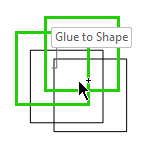 Sometimes you really need shapes that can’t be connected to. While Visio has settings in the UI for doing this, they don’t fully work. This article will show you the workaround!
UEFA Euro Cup 2016 Visio Diagram
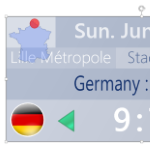 I’ve made a Visio diagram that will help you track the progress of the UEFA European Cup 2016.