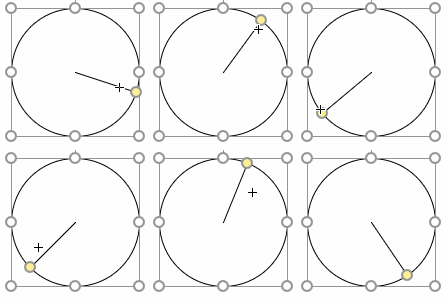
If you’ve ever needed to constrain a Viso SmartShape’s control handle to a circle or other curve, then you’ve finally found the right article!
Smart graphics for visual people
If you’ve ever needed to constrain a Viso SmartShape’s control handle to a circle or other curve, then you’ve finally found the right article!
If you’re interested in the deeper workings of Visio, then you’ll be interested in a series of videos that I’ve been in remiss in reporting!
Unfortunately, no one can be told what the ShapeSheet is. You have to see it for yourself.
Visio SmartShapes can be so much more than just clip-art. This is because the ShapeSheet allows shapes to behave in intelligent ways, carry data and react to that data.
One under-used, little-known function is RAND(), which allows you to add randomness to your drawings. Randomness can not only be “neat-o”, but also useful. Come in and see why!
[Read more…] about Add Spice to Your Visio Skills With Randomization!
 A Visio Guy forum member asked the question: “How many nested IF statements can I stuff into a ShapeSheet formula?”
“Good question!”, I thought and went off to investigate!
[Read more…] about Stress Test: Nesting “IF” Functions in the ShapeSheet
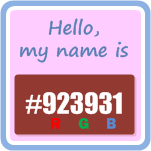 Web designers and AI folks need to know what colors they are using. And they need to know precisely.
Bright red, Fuchsia and Mauve just won’t do. They need exacting names like: #FF0000, #FF00FF and #E0B0FF.
Since more and more folks are using Visio for prototyping web sites and user interfaces, I thought it might be useful to create a SmartShape that displays the hexadecimal color value for a particular shape.
[Read more…] about Get Web Hex Color Values from Visio Shapes
 Are you developing Visio solutions that will be used across the Globe? Have you experienced strange behavior using ShapeSheet functions like INDEX, LOOKUP, SUM, RGB or others that involve lists of items?
If so, then you, my friend, are a victim of list-separator craziness!
[Read more…] about List Separators in Visio’s ShapeSheet are Crazy!
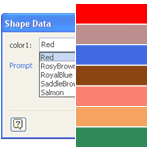
Do you have shapes that contain multiple colors that you’d like to easily change?
Wouldn’t it be neat to be able to specify those colors in Shape Data fields, along with other parameters for the shape?
Visio’s Shape Data fields don’t directly support colors, but I’ve come up with a workaround. You can read how I did it, or just get the download and re-use what I’ve already built!
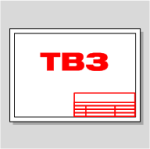
Today we’ll continue our discussion of title block topics by talking about how to control the location of text chunks in a shape’s text block.
Sure, Visio text has tabs, which we’ll put to use. But in the wrong hands and on the wrong shapes, tabs can blow up in your face!
But never fear, for today we introduce the concept of Smart Tabs. Smart tabs are tabs that organize your text properly, even when your shape changes size!
 Happy Inauguration Day 2009, to everyone who finds it happy!
And to those who don’t find it particularly happy…well you find something to be positive about.
Which brings me to the point of this article: a bit of Visio inauguration-day humor!
[Read more…] about Visio SmartShape for Inauguration Day 2009
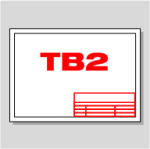
In our last article on Visio title blocks, Title Blocks #1: How to Display Existing Document Information, we were introduced to a remarkable title block shape.
This single shape could display any of four different date-related bits of info: when the doc was created, edited, printed, or the current date/time.
The user simply had to choose which field to display from a drop-down list in the Shape Data Window, and Visio automatically took care of updating the values in the shape’s text.
If you need to create lots of different title blocks for different projects, then a shape like this can save you a lot of work.
And if you’re extremely curious, a power user, or a technical type, then you’ll be interested in how to build shapes like these of your own, and customize them to your own specific needs.
Today’s article will do just that. It’s fairly advanced and detailed, but if that’s what you’re looking for, then come along with us as we rip it apart, and see what it takes to build one of these “Multi-field Visio SmartShapes”
[Read more…] about Title Block #2: Let’s Make a Multi-field SmartShape!