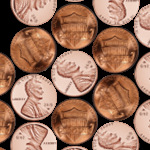
 I’ve created a few Visio SmartShapes that can be easily snapped and glued into hexagonal patterns! Check it out!
Right-Click Actions
Visio Circle Arrows 2013
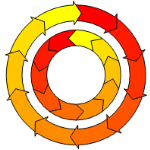 There’s a new arrows-on-circle Visio SmartShape for you to download. It plays nicely with Visio 2013 and newer versions.
Come on in and check it out!
Visio Keep Calm Template
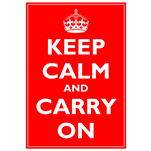 You might have seen this poster around town, on the internet, or decorating a colleague’s belly. More likely you’ve seen a humorous variation–it seems to have developed into quite the meme as of late.
Maybe you have your own funny ideas, but have dreaded futzing with MS Paint to realize them? Well Keep Calm and Read On. It just got simpler!
Visio SmartFace
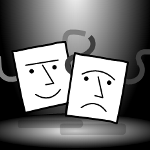 Visio People Shapes are very popular on this web site, and I just found an excuse to create some more!
Through the magic of Facebook and Twitter, I stumbled upon an interesting video from a very creative guy named Austin Kleon.
In the video, he shows us How to Draw Faces, using a humorously mathematical approach.
The technique translated quite well into a Visio SmartShape, which you can download here and use to add feeling and emotion to your diagrams!
3D Beveled Button Visio Smart Shape
Need a sophisticated 3D button shape for your Visio presentations?
Whether you need to indicate buttons, highlights, important notes, corrections, status lights, or just cool visuals, this highly-capable Visio SmartShape will make your Visio diagrams pop off the page!
Text Along a Connector’s Path in Microsoft Visio 2010
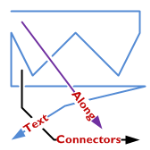
A feature lacking in Visio, like for-EVER, is the ability to align text along a connector’s path.
Now, Visio 2010’s new ShapeSheet functions and capabilities finally deliver.
Today we’ll show-off the cool new connector that I’ve developed for you, and get a very light technical explanation as to how it works!
[Read more…] about Text Along a Connector’s Path in Microsoft Visio 2010
Automatic Chevron Process Shape
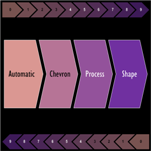 If you need a Visio shape that allows you to quickly create a chain of “chevron” arrows for your management presentations, then you have come to the right place! Our Visio SmartShape is jammed full of smart behaviors that save you a ton of time!
DIP Switch Shapes Gone Wild!
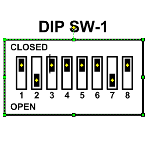
Recently in the Visio Guy Newsgroups, user Ziorg77 submitted a wonderful Visio SmartShape of a DIP switch, where you could toggle each of the eight switches individually.
This led to a flurry of discussion, and several more user-submitted versions of the shape.
Each version had a unique interaction style that provided an opportunity for a fascinating comparison of Visio shape behavior and user interaction.
You can see all the shapes in action in a video I’ve prepared, and–even better–you can download these free Visio shapes at the end of this article.
Super Mask Visio Clipping Shape
Do you ever have the need to highlight just a portion of a diagram?
Perhaps you want to discuss a certain part of the graphic, and just want to see specific details without being distracted by the rest of the diagram?
In a recent thread in the Visio Guy Forums, folks were talking about how to clip or mask a circular region of a Visio drawing.
The resulting discussion–and mini shape-design contest that spontaneously erupted–resulted in today’s article, complete with a free SmartShape for you to download!
Visio Multi-shapes
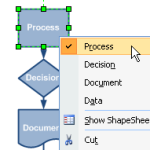 A great feature of Visio SmartShapes is multi-shape capability.
With multi-shapes, you can quickly modify how Visio shapes look via the context menu or shape data fields.
This represents not only a time-savings to users creating drawings and diagrams, but also simplifies the design and maintenance of stencil libraries for solution developers.
So yes, multi-shapes are cool, and they are a big part of what makes Visio cool.
If you haven’t yet run into them, read on to get a better idea of what multi-shapes can do for you!