Articles tagged with: Code
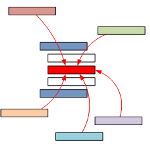
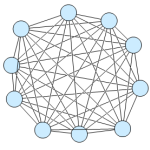
Download a Visio file packed with sample VBA code that will help you understand not only connectors and connecting in Visio, but also path analysis as well!
Today, we continue with the movie-trilogy theme, but concentrate on advanced tips for importing and working with multiple shapes automatically.
This is the third and final piece in our trilogy of articles on Visio data graphics …
Learn how to re-use your code, save time, and work more efficiently by using VBAs CallByName method!
UPDATE!
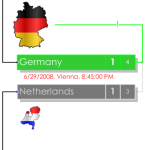
Hey football/soccer fans! We’ve got an update to our automated smart drawing for this years European Cup soccer tournament.
Perhaps you are familiar with the first version, which can be found here: European Cup 2008 …
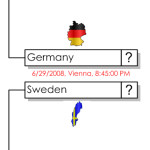
Visio is a natural choice for creating brackets for sports tournaments.
I have seen many elimination-tournament diagrams created in Visio over the years. In fact, just a few years ago, a very nice example was done …
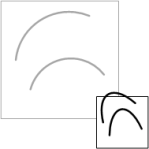
If you’ve ever drawn arcs in Visio, then grouped them together, you may have noticed that they behave oddly when you resize the group. In this article, we’ll explain why this happens and how to fix it. You’ll also learn about the two shape interaction styles that Visio shapes have: 1D and 2D shapes!
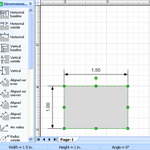
There are many ways to view or change the size of your Visio shapes. In this article, you’ll learn about a whole slew of methods to do this!
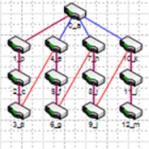
Recently we were introduced to the Cisco IP Telephone Shapes, and learned how they could be improved in the article: Making Shapes More Efficient: Using Fewer Shapes & Groups.
Today we’re going to focus on what …
Learn how to make your Visio shapes more efficient by reducing the number of sub-shapes and nested-group levels.
If you’re a developer, looking to create Visio-based solutions, then you’re going to need to programmatically connect Visio shapes together. Wouldn’t be nice to have a snippet or two to start from?
Today’s post shows you …
If you are busy developing a Visio solution, you might run into the situation where you need to edit a Visio master using code.
Like any application that has survived the ages, Visio has its share …
Whether or not you attended my session about the deep, dark secrets of Visio development today at the Microsoft Office Visio Conference 2008, you might be interested in the session materials.
A Visio newsgrouper recently pointed out that in Visio, inserted images have a different default text position than normal shapes. For images, the text is located at the bottom of the shape, and text “grows” …
Visio 2003 has a defect in the LengthIU property of a Shape object. This article discusses the bug, describes a work-around, and offers Visual Basic code to help you get back on track!
Finally, you can add text to a circle inside of Visio! This is first version of a series of tools to help you get your Visio text out-of-line!
Download a Visio document that lets you add “hot spot” shapes to a diagram, then export an HTML page that provides mouse-over pop-up functionality corresponding to the hot spot locations.
Download an Earth shape that lets you choose from four views: the Americas, Europe, Australia or Asia. You can style the shape with one of four color-schemes. And for devs, there’s some VBA code for setting multiple Geometry.isHidden cells.
Play around with the venerable Candy Equipment Manufacturing demo that simulates a sales-automation scenario with Visio, and showcases SmartShape technology, database integration, MS Excel integration, Visual Basic for Applications (VBA) automation code, Database Wizard applications, Custom Patterns, Layers and more!
Microsoft has published a brand-spanking-new set of Visio shapes for Microsoft Exchange Server 2007. You can download the stencil for free from Microsoft’s web-site and immediately get to work planning your next Exchange deployment. You’ll …
Get links to presentations, articles and samples that show Visio’s xml features and capabilities.
Learn about the ShapeSheet’s POLYLINE function and PolyLineTo row type, and how they can work to make your shapes smaller and faster. Download the VBA code that will help you poly-line-ify your shapes with the click of a button!
Download a Visio diagram that contains VBA code to help you create polygon shapes with any number of sides.
Learn how to combine form-controls-on-a-page, and VBA code to generate an interactive table-of-contents for your larger, longer Visio documents.
After learning more-than-imaginable theory about what makes a good paper snowflake, and how you should go about it, download the VBA code that allows you to make a complete snowflake from a 1/12th wedge, custom cut by you!
Learn how to build Visio flowcharts programatically by examining the VBA code in this article.
Learn about the many different ways you can cause Visio shapes, or parts of Visio shapes to become invisible.