Posted by Visio Guy on 15th April 2008 - 1638 views
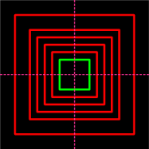
Visio has tons of keyboard shortcuts, including modifiers for constraining the resizing and moving of shapes. For instance, with the Shift key depressed, you can constrain a shape to move only vertically or horizontally. Neat-o!
But unless I have totally missed something (which does occur occasionally), there is one feature that Visio could really use: the ability to resize shapes on-center.
Read the rest of this entry »
Posted in Illustration, Power User, ShapeSheet, Shapes | 4 Comments »
Posted by Visio Guy on 23rd February 2008 - 2750 views
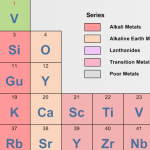
David Edson of long-time Visio fame, and currently of Visibility.biz, recently sent us a high-quality Visio rendition of the Periodic Table to share with you.
You'll want to note that this download is more than just a static diagram! You can use it as an interactive reference, because each SmartShape contains extra information about each chemical element. And you can even right-click each element to link to the Wikipedia entry about each substance!
Read the rest of this entry »
Posted in Drawings & Templates, Shapes | 3 Comments »
Posted by Visio Guy on 17th February 2008 - 2239 views

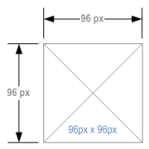
I found some blog posts about pixel rulers for Visio. It seems that folks wanted to dimension their Visio shapes in pixels, which Visio doesn't technically support by default.
But for folks who use Visio to do web-layout wireframes, information architecture and storyboarding, pixel-dimensioning is a useful thing to be able to do!
An earlier article on Visio Guy served up the Rack Unit Dimension Line, which can actually be configured to measure shapes in terms of pixels. But to save time, I've modified that shape and offered it here, for your pixel-dimensioning enjoyment.
Read the rest of this entry »
Posted in Shapes, Wireframes & IA | 2 Comments »
Posted by Visio Guy on 11th February 2008 - 1959 views

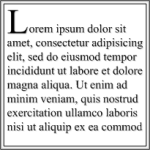
Evidently, lots of designers are using Visio to layout pages. As you dig around on the web, you'll bump into terms such as IA, Information Architecture, Storyboarding, and Wireframes. These all have to do with designing the look and feel of web pages or other documents.
If you're doing any sort of page-layout design, you might be interested in quickly creating paragraphs and sections of dummy text that you can format according to the page's style characteristics. So I thought it would be neat to design a Visio SmartShape that automatically repeats a chunk of text over and over, to speed up the process of laying out a page.
Read the rest of this entry »
Posted in Shapes, Wireframes & IA | No Comments »
Posted by Visio Guy on 10th July 2007 - 1168 views

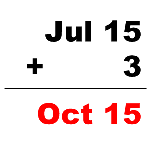
An associate asked me the other day; "how do you add a number of months to a date?"
I thought this would be simple, because the ShapeSheet supports elapsed-time units in addition to date and time formats. With elapsed-time, you can manipulate quantities of time, so the problem seemed fairly easy.
Well, not exactly... Read the rest of this entry »
Posted in ShapeSheet | 4 Comments »
Posted by Visio Guy on 13th September 2006 - 8992 views
I hear quite often the question; "How do I do something in Visio programmatically?" Since many of those requests pertain to flowcharts and organizational charts, I thought I'd conjure up a fairly simple example that illustrates the creation of a flowchart with Visual Basic for Applications (VBA) code.
This isn't the simplest example, because I thought it would be important to show how a decision-branch might be handled.
Read the rest of this entry »
Posted in Code | 26 Comments »