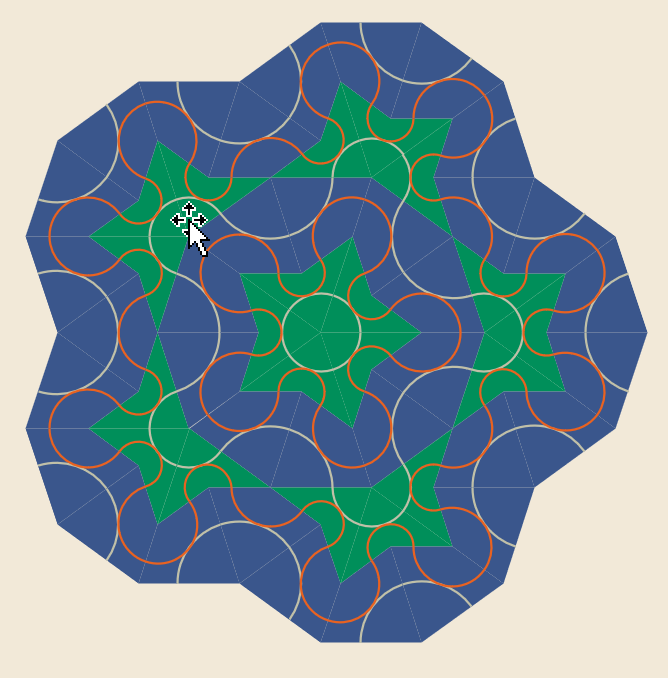
 I watched an interesting video about Penrose Patterns on Veritasium’s YouTube page this morning. It inspired me to create this fun Visio diagram!
Illustration
Draw the Virus with Boolean Operations!
 I wanted to share some tips about using Visio’s Boolean operations, and came up with this topical subject to do it!
Ordered List Shapes
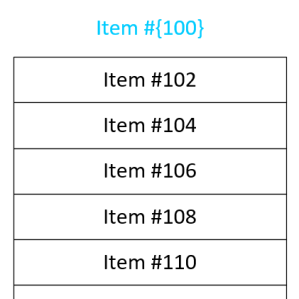 I frequently have the need to get text into separate boxes in Visio. And often I need those boxes to have some sort of incremented series, such as 1, 2, 3, or A, B, C. I’ve built some SmartShapes to help ease my pain, and I’m sharing them with you today!
Hex Snap & Glue Shapes
 I’ve created a few Visio SmartShapes that can be easily snapped and glued into hexagonal patterns! Check it out!
Word Equation to Visio to SVG
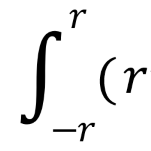
I ran across a scenario where I needed to get a Word equation into Visio, and have it export to SVG. This is the story of my investigation.
[Read more…] about Word Equation to Visio to SVGFuzzy Shadow on Text Oddity
 Visio 2013/16 and newer have added wonderful formatting effects. But how they modify your shapes can be a bit strange. I’ve figured out a few of the odd cases and would like to share my findings with you!
Text Outlines in Visio
 If you’ve ever wondered how to convert text to paths or vectors in Visio, then this article is for you–although the solution might not be what you expected!
Visio Keep Calm Template
 You might have seen this poster around town, on the internet, or decorating a colleague’s belly. More likely you’ve seen a humorous variation–it seems to have developed into quite the meme as of late.
Maybe you have your own funny ideas, but have dreaded futzing with MS Paint to realize them? Well Keep Calm and Read On. It just got simpler!
Illustrating a Hole in a Cylinder
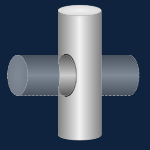 Visio is a 2D drawing and diagramming application that doesn’t support 3D modeling functions. But if you like to draw and aren’t afraid of advanced functionality, you can create some decent affects and save the expense/learning curve of other programs.
Visio SmartFace
 Visio People Shapes are very popular on this web site, and I just found an excuse to create some more!
Through the magic of Facebook and Twitter, I stumbled upon an interesting video from a very creative guy named Austin Kleon.
In the video, he shows us How to Draw Faces, using a humorously mathematical approach.
The technique translated quite well into a Visio SmartShape, which you can download here and use to add feeling and emotion to your diagrams!