Need Network Shapes? Fill Your Cup at the Visio Cafe!
June 21, 2009 – 9:35 pm | No Comment | 1835 views

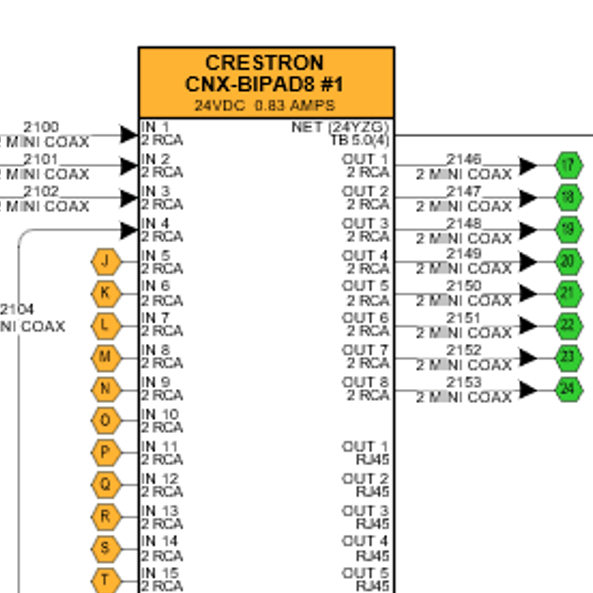
Do you want 5000 free Visio network shapes? This article tells where you can get them, along with a Mega List of every single network shape to be found at the source!

Read the full story »
Development

Tips & code for programming Visio & using the ShapeSheet

Maps & Geography

Maps & geography shapes & templates galore!

Network

Shapes & tools for Visio network diagrams.

News

Find out what’s new in the Visio world!

Shapes

Download useful & attractive Visio shapes. For free!

Home » Archive by Category

Articles in Development

Send All Connectors to Back
June 17, 2009 – 7:02 am | No Comment | 318 views
Send All Connectors to Back

I Want You, Dynamic connector!
When I’m creating Visio-based graphical solutions, I frequently run into the situation where I want to send all of the connectors on a page to the back.
There are a number of …

How to Count the Number of Items in a List
May 25, 2009 – 9:23 am | No Comment | 550 views
How to Count the Number of Items in a List

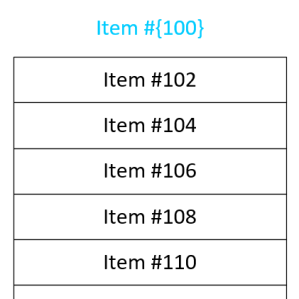
I’ve been working on a new multi-shape that you will hopefully find useful for presentations and process documentation. It should be on offer within then next week or two.
As I was building it, I was …

VBA Class Property Generator
May 20, 2009 – 7:58 pm | No Comment | 721 views
VBA Class Property Generator

Download this VBA code that will help you to quickly generate Get, Let and Set properties for your VBA classes.

Data Refresh on Open
May 13, 2009 – 6:56 am | No Comment | 740 views
Data Refresh on Open

Refresh your Data each and every time you open your Visio 2007 Professional Data-Connected Diagramme

Visio Viewer for Developers
May 11, 2009 – 9:41 am | No Comment | 1058 views
Visio Viewer for Developers

Learn about the Visio viewer, its capabilities, and how you can develop solutions that incorporate it as a Visio-viewing component!

Top Twelve Text Tips
May 6, 2009 – 4:10 pm | 4 Comments | 2344 views
Top Twelve Text Tips

Learn twelve text-handling techniques for creating Visio SmartShapes with text that behaves well!

Happy Pi Day…Sort Of
May 1, 2009 – 5:45 am | 2 Comments | 826 views
Happy Pi Day…Sort Of

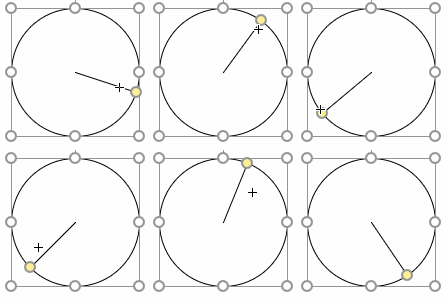
It’s kind of Pi Day today, so we are celebrating by talking about a variety of circle- and angle-related end-user and shape-developer related topics! Read and learn about all things round and Visio!

Analyze Connectivity Between Process Flows
April 22, 2009 – 6:45 am | One Comment | 1216 views
Analyze Connectivity Between Process Flows

Learn how Visio shapes are glued together, different types of glue, and how to traverse paths through a Visio process flow diagram using automation and VBA code.

Number Your Pages Visually
April 15, 2009 – 7:38 am | 6 Comments | 1069 views
Number Your Pages Visually

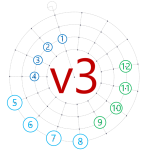
It’s nice to let your audience know where they are in a document, and how much further until the end. This is especially true if your Visio document does double-duty as a presentation.
A progress bar-style …

Path Analysis in Visio
April 8, 2009 – 7:57 pm | 6 Comments | 2676 views
Path Analysis in Visio

Download a Visio file packed with sample VBA code that will help you understand not only connectors and connecting in Visio, but also path analysis as well!

Evaluate Shape Text With EvalText
March 10, 2009 – 10:46 pm | 12 Comments | 1661 views
Evaluate Shape Text With EvalText

Learn a ShapeSheet trick that lets you convert Visio shape text to meaningful numbers and quantities, and build a calculator that accepts free-form text as input.

Trilogy-meter Data Graphics Part III
February 25, 2009 – 2:00 pm | 5 Comments | 1547 views
Trilogy-meter Data Graphics Part III

Today, we continue with the movie-trilogy theme, but concentrate on advanced tips for importing and working with multiple shapes automatically.
This is the third and final piece in our trilogy of articles on Visio data graphics …

Trilogy-meter Data Graphics Part II
February 24, 2009 – 9:52 am | No Comment | 1446 views
Trilogy-meter Data Graphics Part II

Today we’re going to talk about adorning Visio shapes with data graphics, and the extreme flexibility that Visio data graphics offer.
This is slightly different than what we discussed previously in Trilogy-meter Data Graphics Part I. …

Trilogy-meter Data Graphics Part I
February 23, 2009 – 12:42 pm | 2 Comments | 1947 views
Trilogy-meter Data Graphics Part I

Learn how to create a bar-graph Visio shape which visually responds to data. Once you’ve built this SmartShape, we’ll then show you how to link it to external data imported from Excel!

Title Block #3: Smart Tabs, Smart Text
January 23, 2009 – 2:15 pm | No Comment | 2552 views
Title Block #3: Smart Tabs, Smart Text

Today we’ll continue our discussion of title block topics by talking about how to control the location of text chunks in a shape’s text block.
Sure, Visio text has tabs, which we’ll put to use. But …

Flip the Switch, Feed the Creature
January 22, 2009 – 6:16 am | 4 Comments | 1565 views
Flip the Switch, Feed the Creature

Learn about conditional formatting of Visio SmartShapes, and enjoy an ancient treat from the dusty, musty Visio archives!

Visio SmartShape for Inauguration Day 2009
January 20, 2009 – 1:11 pm | 2 Comments | 1274 views
Visio SmartShape for Inauguration Day 2009

Download and learn with this Visio file and SmartShape that relate to today’s momentous US Presidential inauguration!

Title Block #2: Let’s Make a Multi-field SmartShape!
November 19, 2008 – 7:23 am | 9 Comments | 3238 views
Title Block #2: Let’s Make a Multi-field SmartShape!

In our last article on Visio title blocks, Title Blocks #1: How to Display Existing Document Information, we were introduced to a remarkable title block shape.
This single shape could display any of four different date-related …

Make Your Text Stand Out!
October 31, 2008 – 2:23 pm | 3 Comments | 2536 views
Make Your Text Stand Out!

Make your text stand out with a ShapeSheet formula that chooses a contrasting text-color, based on the fill color of your shape.

Title Blocks #1: How to Display Existing Document Information
October 21, 2008 – 11:51 am | 12 Comments | 4545 views
Title Blocks #1: How to Display Existing Document Information

Create more intelligent title block shapes by inserting fields into the text of your Visio shapes that automatically link to information about the document! Your title blocks will be smarter, your drawings completed more quickly, and you’ll spend less time re-keying information!

Improving Visio’s Save As Web Feature
September 29, 2008 – 10:57 am | No Comment | 2696 views
Improving Visio’s Save As Web Feature

When you Save As Web with Visio, you create a subdirectory full of small files, just begging to be modified. This article points you to resources that will help you to understand and work with those files so that you can get Save As Web to do what you really want it to do.

A SmartShape is Worth 1000 Symbols
September 22, 2008 – 9:45 pm | 5 Comments | 6816 views
A SmartShape is Worth 1000 Symbols

Learn about the benefits of Visio SmartShapes, the power of the ShapeSheet, and how a few parameterized Visio shapes can replace a whole set of “dumb” clip-art symbols!

Create Better-looking, More-efficient SmartShapes
August 9, 2008 – 2:18 am | 5 Comments | 5763 views
Create Better-looking, More-efficient SmartShapes

Learn how to add realistic effects to your Visio SmartShapes using innovative shadowing techniques and custom line patterns!

Top 9 Reasons for Turning-on Developer Mode
August 4, 2008 – 5:48 am | 3 Comments | 4035 views
Top 9 Reasons for Turning-on Developer Mode

Learn about the benefits of Visio’s Developer Mode, how it will help you work more efficiently, and how it will solve some mysteries that you might have encountered with Visio 2007.

How to Build Smart Frames and Bezels #2
July 12, 2008 – 5:59 pm | No Comment | 2000 views
How to Build Smart Frames and Bezels #2

In our last article on smart frames, we built a SmartShape that maintained a constant border-thickness, no matter the size of the shape.
It was a fairly simple frame, it got the job done, but it …

Save Time & Simplify Your VBA Code With CallByName
June 23, 2008 – 10:02 pm | 8 Comments | 4385 views
Save Time & Simplify Your VBA Code With CallByName

Learn how to re-use your code, save time, and work more efficiently by using VBAs CallByName method!