• Categories

  • Archives

  • Subscribe

  • Meta

Archive for the 'Development' Category


Run VBA Code When Documents Open

Posted by Visio Guy on 25th May 2007 - 2871 views

Read Full ArticleIf you've dabbled with the VBA project that resides in Visio documents, then you've likely stumbled upon the Document object's DocumentOpened event. This is a great place for running any initialization code that you might require, but there's a better way...

Read the rest of this entry »

Posted in Code | 2 Comments »

VBA Macro Security

Posted by Visio Guy on 17th May 2007 - 4862 views

Read Full ArticleMacro security is an important topic for anyone who deals with automated Microsoft Office solutions. Since Visio and other Office documents can contain Visual Basic code that can perform potentially harmful operations, you need to understand a little bit about how to secure your system.

This article will inform you about the various security settings available forVisio 2003 and Visio 2007, so that you can more confidently enjoy the downloads and code samples that you'll find on Visio guy.

Read the rest of this entry »

Posted in Code | 10 Comments »

Integrating Visio 2007 with Microsoft Technologies

Posted by Visio Guy on 11th May 2007 - 2178 views

Visio 2007 IntegrationIn your quest to create a Visio-based application you're not likely to find yourself stranded on a Visio-based-island. You'll probably find yourself strolling through a land filled with other software products that need to join you on your journey.

So if your wanderings take you through the towns of Access, Excel, Active Directory, SQL Server, MOM, Exchange, Reporting Services, or SharePoint, then you've stopped at the right place to get directions!

The good citizens at Visimation have authored eight -- that's E-I-G-H-T-! -- articles to guide you on your path towards integrating Visio with Microsoft technologies...

Read the rest of this entry »

Posted in Beyond Visio, Code, Visio 2007 | No Comments »

Data Graphics Resources

Posted by Visio Guy on 4th May 2007 - 2862 views

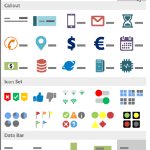
Read Full ArticleVisio 2007 has many cool new features, and among the coolest are Data Linking and Data Graphics. These data features allow shapes to link to data-sources and graphically react to it. You can also add Data Callouts as adornments to existing shapes. The callouts display data next to a shape without visually changing the actual shape.

Of course, if you're a Visio Guy like me, you won't be content to sit back and use the pre-built Data Graphics supplied by The Man. You'll want to roll up your sleeves and create your own, thank you very much.

So I've scoured the net to find resources that contain the nitty-gritties about Data Graphics. Have a look, and stay up all night!

Read the rest of this entry »

Posted in Code, Data, ShapeSheet | 10 Comments »

12 Month Data Graphic Shape (almost)

Posted by Visio Guy on 25th April 2007 - 3053 views

12 Month Data Shape

This morning I was thumbing through one of Edward R. Tufte's books, and I got this idea for a "12-month bar shape" -- a shape that shows vertical bars for each month of the year, in a compact, easy-to-read format. My original thought was that it would make a perfect Visio 2007 Data Graphic!

So, without thinking, planning, or researching, I plunged ahead creating the details of the shape, and then realized that making a Data Graphic is more complicated than I thought. Ugh!

Nevertheless, I've created a shape, which displays bar-graphics for 12 months of the year, and which links to external data. Perhaps you'll find it useful!

Read the rest of this entry »

Posted in ShapeSheet, Shapes | 11 Comments »

Visio 2007 Demo Videos

Posted by Visio Guy on 10th April 2007 - 2398 views

Read Full Article

Hello Visio Fans! I received a Visio Partner e-mail a few days ago that contains a fabulous set of links to Visio How-To demo videos. The demos cover new Visio 2007 topics such as DataGraphics, Themes, AutoConnect, PivotDiagrams and Vista integration.

Read the rest of this entry »

Posted in Code, Visio 2007 | 5 Comments »

Wave Generator Diagram

Posted by Visio Guy on 15th March 2007 - 3387 views

Wave GeneratorWell folks, the Missus and I have been traveling New Zealand's south island for the past few weeks, and I've finally found the time get online and offer up a new post.

The land is beautiful down here, and folks are very conscious of the environment. In the news, there's been lots of talk about generating power using the energy stored in ocean's waves and tidal flows. On the long train ride from Auckland to Wellington, I had a conversation with a guy about a simple power generator that works by anchoring a buoy to the ocean floor, and using the up-and-down motion caused by floating to generate electricity.

I had the idea to create a Visio diagram to illustrate how such a wave generator might work. Read the rest of this entry »

Posted in Drawings & Templates, ShapeSheet | 2 Comments »

User-defined ShapeSheet Functions in Visio 2007

Posted by Visio Guy on 1st January 2007 - 2635 views

Read Full ArticleHappy New Year 2007 Visio Fans!

Not only does the new year bring hope, rebirth, and a chance to start anew, but also a new version of Visio. Yes folks, Visio 2007 will soon be on the shelves, and beneath the shrink-wrap and behind the registration cards you'll find an exciting new feature for ShapeSheet developers: the ability to define your own ShapeSheet functions!

By defining your own functions, you can really reduce the clutter and repeated effort that can occur with complicated ShapeSheet functions.

Read the rest of this entry »

Posted in ShapeSheet | 5 Comments »

Constraining Angle with the BOUND ShapeSheet Function

Posted by Visio Guy on 14th December 2006 - 1254 views

Read Full ArticleCori who writes the blog Elliptical... wrote this nice little piece on constraining a shape's angle so that it can only be rotated in 90-degree increments. I thought I'd relay the information to you here, and explain a bit more about the BOUND ShapeSheet function.

Although you can use the keyboard shortcuts Ctrl+R and Ctrl+L to rotate shapes in 90-degree increments clockwise and counterclockwise, this does nothing to actually constrain the allowable values.

Read the rest of this entry »

Posted in ShapeSheet | No Comments »

Visio and Xml Conference Resources

Posted by Visio Guy on 30th November 2006 - 1428 views

Read Full ArticleBack in January 2006, I made a presentation at the Microsoft Office Visio Conference in Home-Sweet-Home Seattle. Good company, good information, and good fun was had by all! You can download plenty of excellent content from that conference, including PowerPoint slides and recorded presentations. Get it here: Visio Conference web site.

In my presentation, Working With Visio an Xml, our friend, Dr. Xml, proudly made his PowerPoint debut and won the crowd over. The presentation summary was...

Read the rest of this entry »

Posted in Code, Events | 9 Comments »

Polyline Shape Maker

Posted by Visio Guy on 27th November 2006 - 2190 views

Read Full ArticleSometimes your Visio SmartShapes can be like beauty pageant contestants: they just need to look good, but don't need a lot of intelligence. The creators of Visio realized this (after five versions) and gave us a way to streamline lots of "dumb" vector data. The ShapeSheet function: POLYLINE and the geomettry row: PolyLineTo will help you get the job done.

Read the rest of this entry »

Posted in Code, ShapeSheet | 3 Comments »

Polygon Maker

Posted by Visio Guy on 24th November 2006 - 2135 views

Read Full Article

Another question popped up on the newsgroup forums today asking about making polygon shapes in Visio. This triggered a neuron, and I was off like a flash to perform a search of my ...\Visio directory.

Sure enough, I found "PolygonMaker 2002.vsd", which I have prettied-up for presentation to you today...

Read the rest of this entry »

Posted in Code, Shapes | 1 Comment »

Consumer Reports Rating Shape

Posted by Visio Guy on 22nd November 2006 - 2638 views

Read Full ArticleToday's post presents you with a Consumer Reports style ratings shape. The shape is what is traditionally referred to as a multi-shape. It has five states that allow you to graphically represent the quality of a particular characteristic. Consumer Reports names the states: Excellent, Good, Average, Poor, or Unacceptable. In our shape you can configure the names to your liking.

Read the rest of this entry »

Posted in ShapeSheet, Shapes | 2 Comments »

Legend Shapes

Posted by Visio Guy on 20th November 2006 - 11754 views

Read Full Article

If you've seen Visio 2003's Legend shape, you know that it is very, very cool. It tallies the number of times that various masters have been dropped on the page.

But how do you enable your own shapes to work with it? That, my friends, is the subject of this post!

Read the rest of this entry »

Posted in ShapeSheet | 13 Comments »

Combo Box Table of Contents

Posted by Visio Guy on 8th November 2006 - 1759 views

Read Full Article

Yet another newsgroup post caught my eye today. I'm not sure if I answered the guy's actual question, but I had fun creating this example anyway.

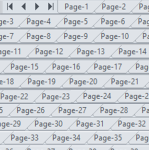
Today's sample shows you how to create a table of contents. This particular version lists the pages in a Visio document in a drop-down combo box that sits on a Visio page. Just select an item from the list, and Voila! You are sent to the corresponding page in the document!

Read the rest of this entry »

Posted in Code | 3 Comments »

Visio 2007 Developer Resources #1

Posted by Visio Guy on 3rd November 2006 - 2621 views

Read Full ArticleWell the buzz about Visio 2007 is increasing daily, and all the hard-core Visio fans are already working on solutions for the next version of Visio. If you're itching to jump on the bandwagon, I've collected a set of links to point you towards as many Visio 2007 developer-related links as possible!

Enjoy!

Read the rest of this entry »

Posted in Code, ShapeSheet | 6 Comments »

Visio Snowflake Generator

Posted by Visio Guy on 2nd November 2006 - 2834 views

Read Full ArticleWell folks, it's snowing here at Visio Guy Headquartes in Munich! So I guess it's time to start thinking winter after all. And that's just what this article and download are all about: Winter! Visio and Winter! Visio and Winter and Snowflakes!

So let's forget about BPM, Org Charts and Network Diagrams for a while, and hark back to the winters of our youth, when we'd busily be folding paper and cutting away triangular bits, in the mad pursuit to decorate our windows with paper snowflakes.

I've coddled together a little tutorial that shows you how to use Visio's Fragment, Union, Combine and Trim functions to create snowflakes -- “ just like you did back in kindergarten! And the download contains some Visual Basic for Applications code to help you "do the unfolding" automatically!

Read the rest of this entry »

Posted in Code, Seasonal, Shapes | 3 Comments »

Smart Chamfer - A Corner That Doesn’t Stretch

Posted by Visio Guy on 24th October 2006 - 1551 views

Read Full Article

ECB asked in a recent newsgroup post:

"How can I make a 45° corner that maintains 45° when the shape resizes?"

Such a shape would be useful, for say, creating a "Document" shape. It's also the type of thing that the CAD-oriented folks might like to create, only they would call it a "chamfer".

In this article, we'll show you how to create such a shape with Visio's drawing tools, and to add the special behavior using Visio's ShapeSheet interface.

Read the rest of this entry »

Posted in ShapeSheet | 2 Comments »

Connection Point Directions & Types

Posted by Visio Guy on 12th October 2006 - 3730 views

Read Full Article How many of you remember waaay back to Visio 2000, when you could manipulate the type and direction of connection points via nifty UI handles? Well, that functionality was removed from Visio, but I've created a free tool that will give it back to you! Using a custom master shape and Visual Basic for Applications code, you can quickly get your 2D connection points in order!

Read the rest of this entry »

Posted in ShapeSheet, Shapes, Tools | 4 Comments »

Counting Geometry Sections

Posted by Visio Guy on 4th October 2006 - 1030 views

Read Full ArticleDavid Parker from over at bVisual stole the Viso Freak Crown with this newsgroup post a few days ago. His answer solves the problem of how to count the number Geometry Sections in the ShapeSheet, and it uses a really loooooooong ShapeSheet formula!

Read the rest of this entry »

Posted in ShapeSheet | 5 Comments »

Casting Units in Visio’s ShapeSheet

Posted by Visio Guy on 3rd October 2006 - 1209 views

Read Full ArticleIf you work with different systems of units, you may have a need to convert ShapeSheet values to different units, without changing values. But when you Show Values in the ShapeSheet how can you specify exactly which units to use?

Read the rest of this entry »

Posted in ShapeSheet | 4 Comments »

Export All Pages in Document

Posted by Visio Guy on 18th September 2006 - 2190 views

Every once in a while, a question comes along in the newsgroups that just screams at me; "WRITE SOME SAMPLE CODE!" Now I can't describe exactly which types of questions speak to me in this way. Perhaps they're questions I've heard time and again? Or they involve a fascinating graphical problem? Or is it just that I can actually finish them in one evening's work?Whatever the reason, the latest question is; "How do I export all of the pages in a Visio document to image files?"

Read the rest of this entry »

Posted in Code | 3 Comments »

Create Visio Flowcharts Programmatically

Posted by Visio Guy on 13th September 2006 - 8215 views

Read Full ArticleI hear quite often the question; "How do I do something in Visio programmatically?" Since many of those requests pertain to flowcharts and organizational charts, I thought I'd conjure up a fairly simple example that illustrates the creation of a flowchart with Visual Basic for Applications (VBA) code.

This isn't the simplest example, because I thought it would be important to show how a decision-branch might be handled.

Read the rest of this entry »

Posted in Code | 26 Comments »

The Hidden World of Visio Shapes

Posted by Visio Guy on 5th September 2006 - 4996 views

So you've created beautiful graphics in Visio, and you know how to add phantasmal ShapeSheet smarts to your shapes, now its time for you to make it all disappear! I often get asked how to toggle the visibility of various elements of Visio drawings, and I usually offer up one of many solutions. But I don't think that those many solutions have ever been cataloged in a single place. Until, of course, now...

Read the rest of this entry »

Posted in Code, ShapeSheet | 26 Comments »

  • Tag Cloud

  • Recent Comments on Visio Guy

  • RSS The Latest from the Visio Guy Forum

  •