 Visio 2010 offers several new features to streamline flowcharting and business process diagramming.
One of these features automatically shifts shapes out of the way when you add a step in the middle of a flow!
Smart graphics for visual people
Visio 2010 offers several new features to streamline flowcharting and business process diagramming.
One of these features automatically shifts shapes out of the way when you add a step in the middle of a flow!

If you’ve purchased my new book, Using Microsoft Visio 2010, or are contemplating purchasing it, you’ll be pleased to know that it comes with a free web edition. This allows you to not only watch the companion videos and listen to the audio snippets, but also conveniently access the entire book electronically, in full color!

Looking at the number page views and download stats, the original Visio Crayon Network Shapes seem to be quite popular.
I’m happy to announce that they have been improved and extended! If you’re designing a new network or planning modifications to an existing network, these shapes are great for visually emphasizing that you are currently in the DESIGN STAGE ONLY, or this is JUST AN IDEA and that you don’t plan on working over the weekend to implement it just yet!
 I got home today and found a mysterious package on my desk.
Since I hadn’t ordered anything recently, I had a hunch what it might be…
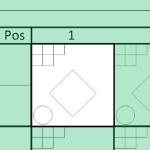 Why wait ’til next year?
You can download a Visio-based baseball scorecard template, just in time for the season. Whether you are involved with Little League, Babe Ruth, American Legion or the company’s after-work softball Beer League, the authorities on your team will appreciate this little bit of after-the-whistle-blows organization.
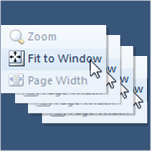 If you create Visio documents with lots of pages, you probably like to quickly flip through all of them to check for visual consistency.
But if each page has been zoomed or panned, it can be frustrating to have to click Fit to Window for each page.
But with a little macro code, you can make your life a lot easier!
[Read more…] about Fit All Pages to Window in a Visio Document
 Visio People Shapes are very popular on this web site, and I just found an excuse to create some more!
Through the magic of Facebook and Twitter, I stumbled upon an interesting video from a very creative guy named Austin Kleon.
In the video, he shows us How to Draw Faces, using a humorously mathematical approach.
The technique translated quite well into a Visio SmartShape, which you can download here and use to add feeling and emotion to your diagrams!
 Looking for plan view fireplace shapes?
In later versions of Visio, they seem to have disappeared!
 Awesome, BABY!
It’s March already, and that means college hoops, the NCAA tournament and MARCH MADNESS!
Download this year’s tournament bracket in Visio format and work your out your picks in style!
Congratulations UConn! (ie: the other Huskies)
[Read more…] about March Madness 2011-NCAA Tournament Bracket in Visio
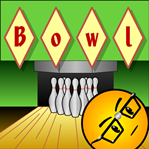 If you need a catchy title for your Visio diagram, then diamonds could be your best friend!
Today’s Visio SmartShape encases each character you type in it’s own individual diamond for that perfect Retro or Argyle look!
(Just what you were looking for, eh?)