 For quite some time now, I’ve wanted to create a Visio SmartShape of a proper, oval, comic-style Word Balloon shape.
But calculating the intersection of a triangular callout with the perimeter of an ellipse was too foreboding…
…UNTIL NOW!
Smart graphics for visual people
For quite some time now, I’ve wanted to create a Visio SmartShape of a proper, oval, comic-style Word Balloon shape.
But calculating the intersection of a triangular callout with the perimeter of an ellipse was too foreboding…
…UNTIL NOW!
 Whether you are looking to conserve energy, optimize your hardware usage, or rapidly test a wide variety of software configurations, some sort of virtualization is surely in your future.
And if you are a Visio Guy or a Visio Gal, you’ll surely want to make a diagram to better see how your network’s hardware is set up.
I’ve been hopping around the net looking for (mostly-free) Visio-related resources for virtualization. Here’s what I found…
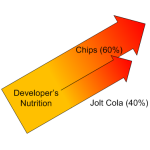
We’ve been messing around with our Sankey Diagram Shapes for Visio again–because we just couldn’t resist!
In the download-able Visio file, you’ll find a set of five Sankey arrows pre-wired to a process box.

You’ve already got your plan…but it’s only available in paper format. Not to worry, you scan it and use it in your scaled Visio drawing anyway!
Recently, we talked about techniques for using images as backgrounds for tracing vector-based Visio shapes in the article: Importing Images as Backgrounds for Tracing. What that article didn’t cover were issues related to scaling.
In today’s article, you’ll learn how to quickly import an image of a measured drawing and configure it for used in a scaled environment!
[Read more…] about Importing Images as Backgrounds for Scaled Drawings
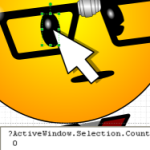
A coding problem that Visio developers often stumble upon recently reared its ugly head yet again in the newsgroups. The question, very simply, was:
How do you programmatically detect sub-selected shapes?
The usual place to start is with a simple line of code, like:
Visio.ActiveWindow.Selection
But as it turns out, this line surprisingly does not return sub-selected shapes. So let’s dig deeper into the problem so that you can get your projects finished!
[Read more…] about Detect Sub-selected Shapes Programmatically

Recently, I was digging through some old projects, when I stumbled upon a Visio SmartShape that is loads of fun, and perhaps even slightly useful!
Years ago, I created a demo for one of Microsoft’s marketing groups. One of the shapes is a laser show projection shape and was used in a scaled drawing of a baseball stadium that was to be configured for a software trade show party rock concert.
If you do any kind of system integration, especially stage-layout, event wiring diagrams or something similar, you might find this shape useful. But that’s not the interesting part…