 If you peek into the flowchart templates on offer for Visio 2010, you’ll see a new item called Microsoft SharePoint WorkFlow.
If you use SharePoint and need to design workflows, then this might be an exciting new option for those not able to use Visual Studio or not thrilled by SharePoint Designer.
Recently, an associate referred me to Wictor Wilén’s blog, which contains quite a few articles related to SharePoint. Wictor recently added Creating SharePoint 2010 workflows with Visio 2010 and shared his opinions and insights on the new functionality in Visio 2010. I’m more of a Visio Guy than a SharePoint Guy, so be sure to check out Wictor’s article to get a SharePoint expert’s view on the new template!
Not being one to waste an educational opportunity, I dove into the new Visio SharePoint Workflow features as deep as I could.
Note: this article was written about the Technical Preview of Visio 2010, released in July of 2009. The final product may have different features and details than those reviewed here.
Starting a Workflow
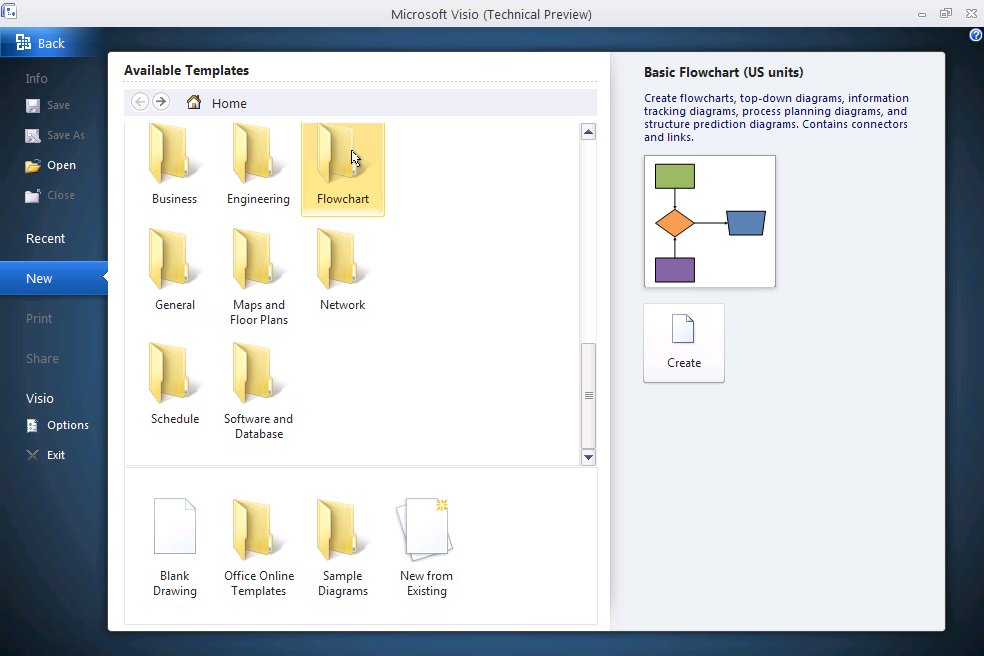
Just getting started in Visi0 2010 is a bit different than you might be used to. To begin a new flow, you use the Getting Started Experience screen. This new area lets you choose template types, set options, print, share, open, save and set various options.
 click to view larger image
While this screen has some beautiful icons and higher-quality previews than previous versions, it is a bit awkward to get to, and the scrollbars within the panel are not immediately obvious. You might think that there aren’t many new templates until you finally discover the scroll bar!
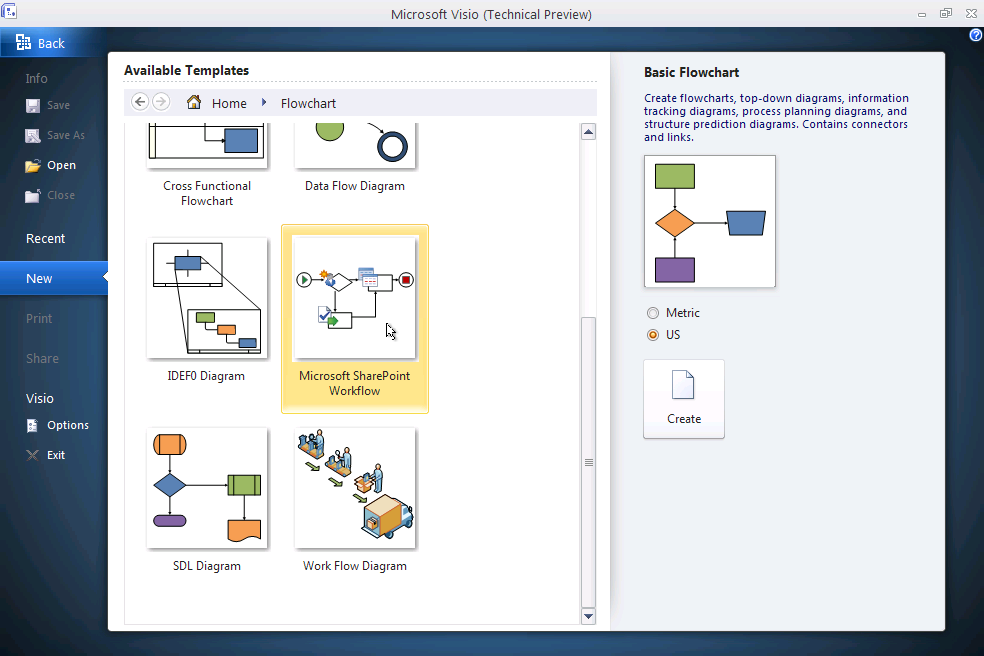
Once you’ve scrolled down and discoverd the Flowcharts template, you can dive down and pick a particular one. Of course, we clicked on Microsoft SharePoint Workflow:
click to view larger image
and am sharing all the juicy screenshots and details with you today.
Visio SharePoint Workflow Shapes and Stencils
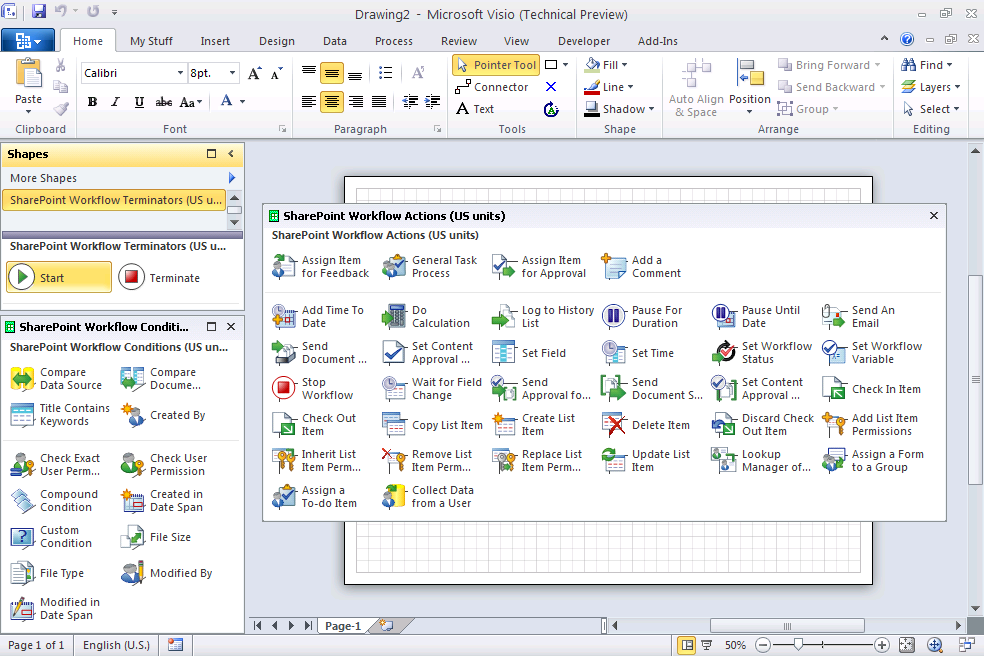
The template opens with three stencils to get you going:
- SharePoint Workflow Terminators
- SharePoint Workflow Conditions
- SharePoint WorkflowActions
I’ve expanded the three stencil windows so you can see what is on offer in this Technical Preview version of Visio 2010:
click to view larger image
If you want to take a closer look at the actual shapes, here they are:
Here are the Terminators and Actions shapes:

click to view larger image
And the Conditions shapes:
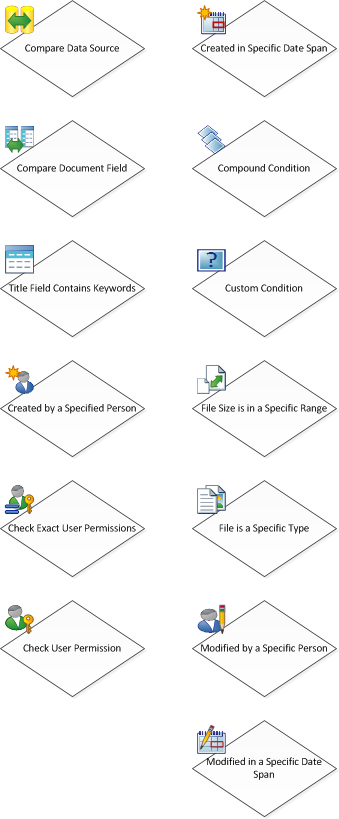
click to view larger image
As of the Technical Preview, none of these shapes had any Shape Data fields. I don’t know if these will come later in the final product or not. It makes sense to me that a workflow designer might want, for example, to specify an e-mail recipient for the Send an Email action.
But perhaps the Visio workflow template is intended as a first, rough step in the overall definition process. The text that the user types into the shape could indicate the rough purpose of the action or condition. Understood in general terms by the person who actually does the work. The binding to technical mechanisms could then be completed by someone deeper in the IT department.
Drawing the Workflow
Of course, your new template won’t have stencils strewn all over the place! They are all neatly docked on the left, with some new, more streamlined tab-management for keeping your Visio stencils accessible, but out of the way:
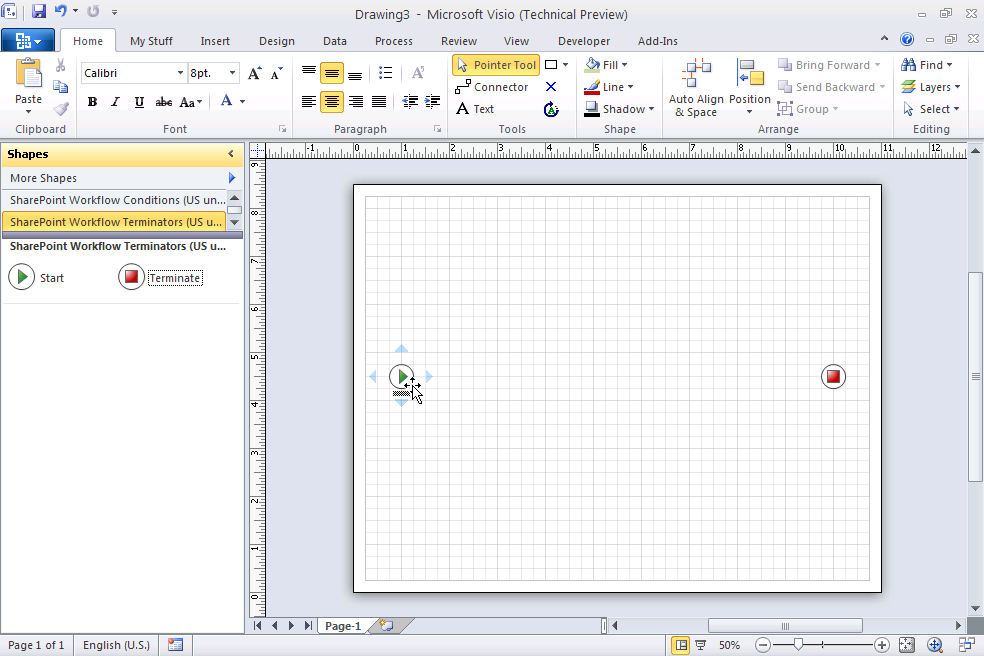
click to view larger image
You can see my tentativeness at workflow design: I was only able to confidently drop a Start and Terminate shape, before I got stuck!
Validating the Workflow
Yes, I said validate! Although my workflow doesn’t look like much, I decided to mess around, and wandered over to the Process tab on the Ribbon. There, I found an interesting button called Check Diagram.
This button has three intriguing sub-items that show that Microsoft was serious about adding business-process-oriented features into this release of Visio:
- Check Diagram
- Rules to Check
- Import Rules From
In the screenshot below, you’ll see that I’ve expanded the middle item to reveal that SharePoint Workflow is specified as the rule-set for this diagram. So you can apply specific sets of rules to process diagrams in Visio 2010–neat!
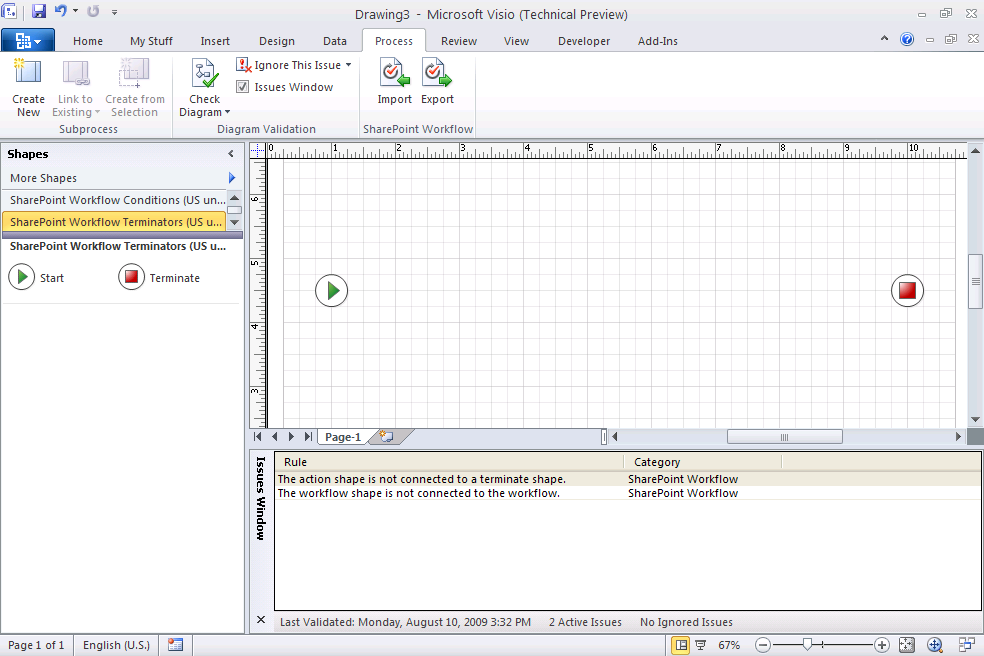
click to view larger image
When I pressed Check Diagram, Visio found some problems with my workflow. Suprise, surprise!
click to view larger image
You see the errors in the Issues Window at the bottom. When you double-click an “issue”, Visio highlights the shape that is having a problem, so you can easily debug your process flows.
If you’re wondering where these rules are stored, well they are stored in the document. One easy way to see them is to save the Visio document to its Visio-xml format (.vdx), add an “.xml” extension to the end of the file, then view it in Internet Explorer. Way down near the bottom of the file, you’ll see the “<v14:Validation>” element, which contains rule sets and rule definitions:
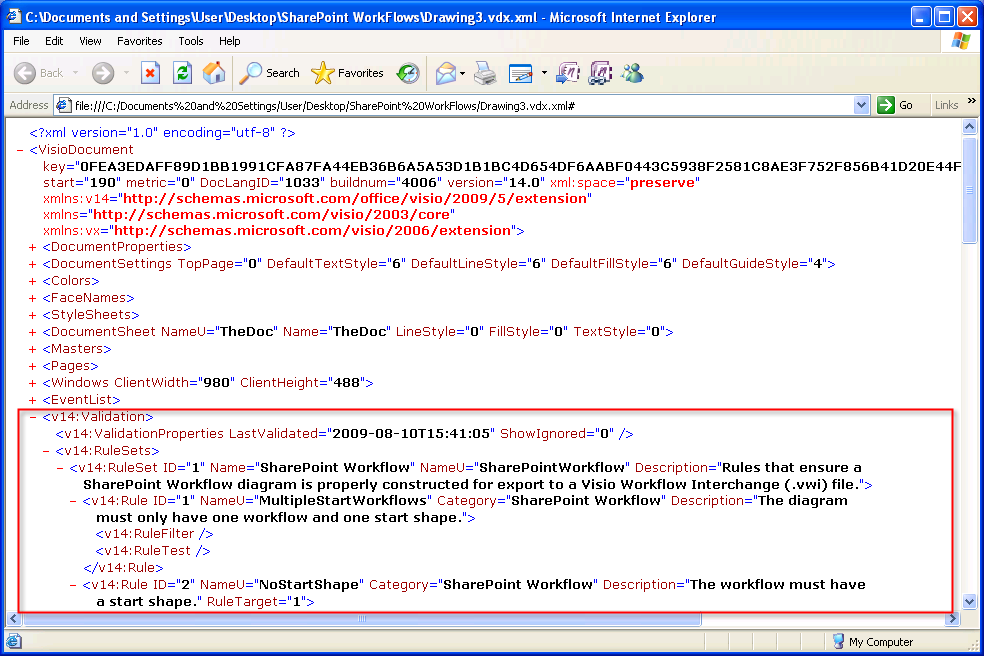
click to view larger image
You can get at the rules via automation too:
[code lang=”vb”]
Sub ValidationDump()
Dim doc As Visio.Document
Set doc = ThisDocument
Dim rss As Visio.ValidationRuleSets
Set rss = doc.Validation.RuleSets
Debug.Print "Rulesets: " & rss.Count
Debug.Print
Dim rs As Visio.ValidationRuleSet
Dim r As Visio.ValidationRule
For Each rs In rss
Debug.Print "Ruleset: " & rs.Name
Debug.Print " " & rs.Description
Debug.Print
For Each r In rs.Rules
Debug.Print vbTab & "Rule……." & r.NameU
Debug.Print vbTab & "Category….." & r.Category
Debug.Print vbTab & "Description.." & r.Description
Debug.Print vbTab & "FilterExpr…" & r.FilterExpression
Debug.Print vbTab & "TargetType…" & r.TargetType
Debug.Print vbTab & "TestExpr…." & r.TestExpression
Debug.Print
Next
Next
End Sub
[/code]
For our test workflow, we get this information, which you can also see in the xml that we showed earlier:
Rulesets: 1
Ruleset: SharePoint Workflow
Rules that ensure a SharePoint Workflow diagram is properly constructed for export to a Visio Workflow Interchange (.vwi) file.Rule…….MultipleStartWorkflows
Category…..SharePoint Workflow
Description..The diagram must only have one workflow and one start shape.
FilterExpr…
TargetType…0
TestExpr….Rule…….NoStartShape
Category…..SharePoint Workflow
Description..The workflow must have a start shape.
FilterExpr…
TargetType…1
TestExpr….Rule…….InvShapeType
Category…..SharePoint Workflow
Description..The shape is not a SharePoint workflow shape. Only SharePoint workflow shapes can be connected in a workflow.
FilterExpr…
TargetType…0
TestExpr….Rule…….ConnectionToParent
Category…..SharePoint Workflow
Description..Loop back to parent shape is not allowed.
FilterExpr…
TargetType…0
TestExpr….Rule…….OrphanConnector
Category…..SharePoint Workflow
Description..The connector must be connected to two workflow shapes.
FilterExpr…
TargetType…0
TestExpr….Rule…….TerminateHasChildren
Category…..SharePoint Workflow
Description..The terminate shape must not have outgoing connections.
FilterExpr…
TargetType…0
TestExpr….Rule…….NoIfElseBranches
Category…..SharePoint Workflow
Description..The condition shape must have at least one outgoing connection with label Yes or No.
FilterExpr…
TargetType…0
TestExpr….Rule…….NoIfElseValue
Category…..SharePoint Workflow
Description..The condition shape does not have connections labeled with Yes or No.
FilterExpr…
TargetType…0
TestExpr….Rule…….StartHasParent
Category…..SharePoint Workflow
Description..The start shape must not have incoming connections.
FilterExpr…
TargetType…0
TestExpr….Rule…….MultipleNoPaths
Category…..SharePoint Workflow
Description..The decision shape can only have one outgoing No connection.
FilterExpr…
TargetType…0
TestExpr….Rule…….SequentialParallel
Category…..SharePoint Workflow
Description..A parallel execution is implicitly terminated.
FilterExpr…
TargetType…0
TestExpr….Rule…….ImplicitParallelTerm
Category…..SharePoint Workflow
Description..Parallel activities that are also sequential are not allowed.
FilterExpr…
TargetType…0
TestExpr….Rule…….DuplicateConnections
Category…..SharePoint Workflow
Description..Duplicate connections exist between workflow shapes.
FilterExpr…
TargetType…0
TestExpr….Rule…….NestingDepth
Category…..SharePoint Workflow
Description..Workflow nesting levels must not exceed a maximum of 10.
FilterExpr…
TargetType…0
TestExpr….Rule…….CompoundCondition
Category…..SharePoint Workflow
Description..A compound condition cannot be manually added to a workflow diagram. The compound condition can only be generated when importing workflow from SharePoint Designer.
FilterExpr…
TargetType…0
TestExpr….Rule…….EmptyWorkflow
Category…..SharePoint Workflow
Description..The start shape is not connected to workflow shapes.
FilterExpr…
TargetType…0
TestExpr….Rule…….CustomAction
Category…..SharePoint Workflow
Description..A custom action cannot be added to a workflow diagram. The custom action can only be generated when importing workflow from SharePoint Designer.
FilterExpr…
TargetType…0
TestExpr….Rule…….UnconnectedWorkflowShape
Category…..SharePoint Workflow
Description..The workflow shape is not connected to the workflow.
FilterExpr…
TargetType…0
TestExpr….Rule…….NoTerminateShape
Category…..SharePoint Workflow
Description..The action shape is not connected to a terminate shape.
FilterExpr…
TargetType…0
TestExpr….
Interchange Between Visio WorkFlows and SharePoint
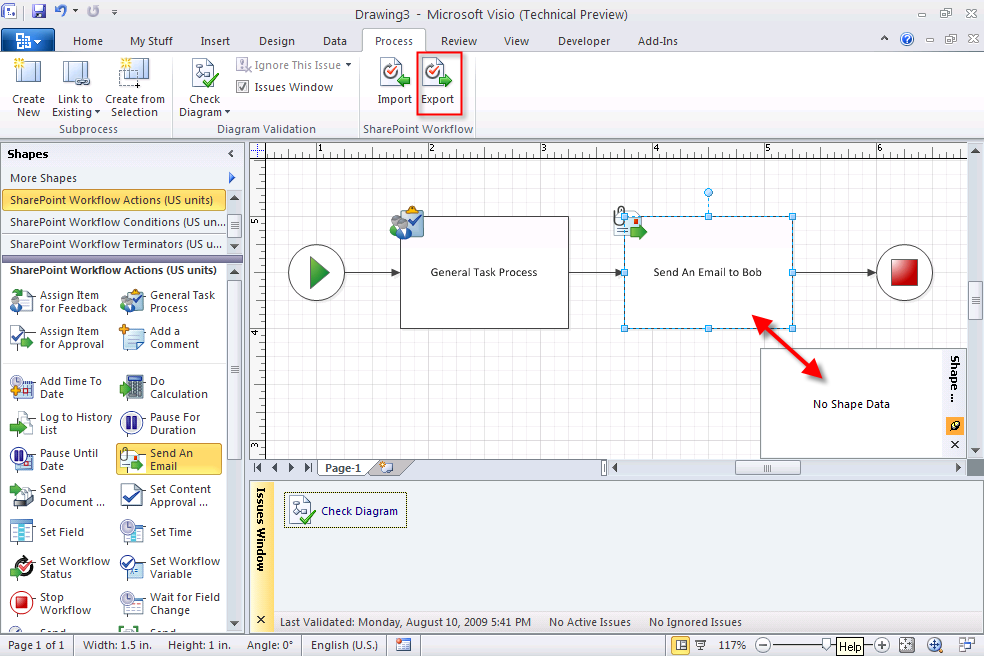
Once you’ve corrected your errors and gotten the Issues Window to come clean, you can think about Exporting your workflow.
But first, there are a few things to note in the screenshot below:
- The Send an Email shape has no Shape Data fields (none of the SharePoint Workflow shapes do)
- The Issues Window is clear of errors because all the shapes are properly connected
- There’s an Export button highlighted at the top of the screen
click to view larger image
When we click the Export button, Visio generates a Visio Workflow Interchange (.vwi) file. This file is actually a zipped archive, similar to what was introduced in most of the Office 2007 file formats.
You can just add “.zip” to the end of the filename, then quickly open it up and examine the contents. Inside, you’ll find four files:
- workflow.vdx
- workflow.xoml
- [Content_Types].xml
- workflow.xoml.rules
Hmm, SharePoint folks will immediately spot the XOML file and find that interesting, but let’s chat a bit about each file.
workflow.vdx is just the Visio-in-xml-format snapshot of your SharePoint workflow at the time of exporting.
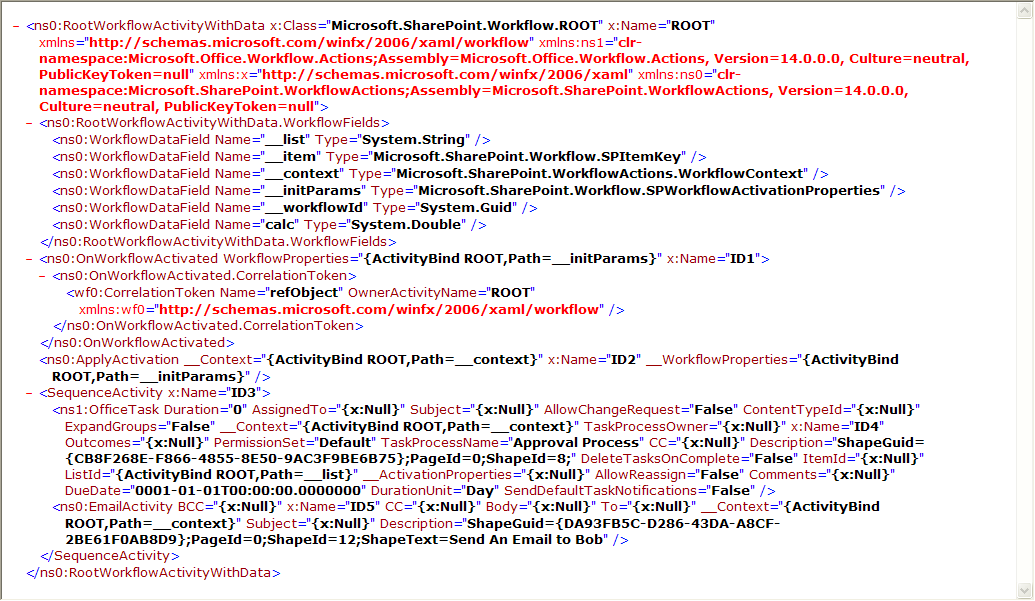
workflow.xoml contains a bunch of stuff that you will recognize if you know SharePoint workflows from the back-end:
click to view larger image
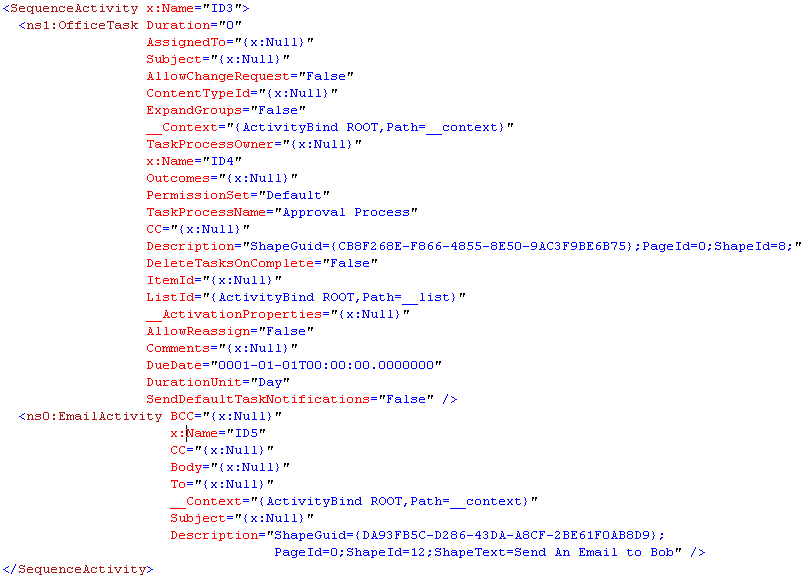
If you look closely at the xoml nodes for OfficeTask (Generate Task Process) and EmailActivity (Send an Email to Bob), you’ll see lots of missing information in the form of “{x:Null}”.
click to view larger image
This is where I thought it might make sense to have some Shape Data fields that would allow users to more fully-specify their workflows before exporting them.
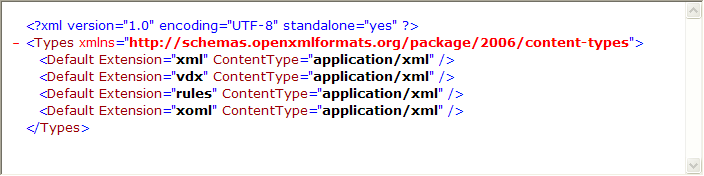
[Content_Types].xml looks like this, for the curious:
click to view larger image
And finally the rule definitions file, workflow.xoml.rules, simply references the xml namespace: “http://schemas.microsoft.com/winfx/2006/xaml/workflow”

click to view larger image
What all these files and data means can probably be guessed by those who understand SharePoint intimately, or those who read blogs like Wictor Wilén’s.
Regardless, designing SharePoint workflows in Visio, in a manner that is deeper than just sketching a flow will surely be welcome by many. I’ve only touched on a few of the enhancements around process diagramming

A note about the “My Stuff” tab on the Ribbon in the screen shots…
You’ll see an item called “My Stuff”. This isn’t a new feature in Visio 2010, it is the result of my messing around, trying to customize the ribbon.
I know some of you were full of excitement about the new “My Stuff” feature–sorry to dash your hopes. 🙂
Yes, after designing the workflow in Visio – even without the shape data – you can use “Import from Visio” in SharePoint Designer and reference the VWI file. It renders in SPD without the start/end pieces and shows the logic that you designed in Visio with placeholders for the missing data just like when you create an SPD workflow from scratch except that all the pieces are in the right order and didn’t require an SPD person to build it. From here, the SPD person fills out the data elements as needed and publishes it to SharePoint, which is where I can’t give more details.
Hi CC,
That’s great information! I know we’re OK to talk about Office 2010 client applications but server-stuff is still hush hush.
It’s really great to have SharePoint experts like yourself chime in on this subject, so thanks for commenting!
From my limited knowledge of SharePoint Designer, it looks like “having all the pieces…in the right order” from the Visio diagram will save people lots and lots of clicking in SPD.
Exactly – as you saw in my tweet, I openly asked what I can and can’t share…not so much to get an answer but so that the fuys like @DavePae know that I am very much following the NDA but know that both Visio and SPD are open to the public. The problem is that SPD10 no longer can function outside of #SharePoint, and it can’t work with with older versions of #SharePoint, so anything I mention about SDP10 is by default a reference to #SP2010.
As for your last comment, it’s not just that it will save people lots of time in SPD, but rather it will empower our business analysts – SharePoint-knolwedgeable or not – to actually BUILD workflows around their business processes that are directly usable in SharePoint (with a few steps, of course, but they aren’t a problem). The ramifications this has are huge, though I realize things like Nintex and K2 BlackPearl do this at an even higher level, but we now have much better options than we did before without having to purchase 3rd party. For many of my clients, including my current big one, that will be a huge boon.
Hi, i am not able to find Microsoft SHarepoint Work flow template there.
help me
guruprasadmarathe@gmail.com
Hi Guru,
The SharePoint workflow template is only available with Visio 2010 Premium Edition. If you have Standard or Pro, they won’t be there.
See also: Visualization of Visio 2010 Templates by Edition.
Hi,
I have created a workflow in SPD 2010 and wanted to export it to Visio in the hopes that I would have all of the details of my workflow displayed. In SPD if I wanted to see all of the details I have to click into each one and do a print screen which isn’t very efficient.
Once we figured out how to get the export and view it in Visio all it displays is a vague description of each step. Is that all this function does? Give you a skeleton of your workflow?
If you know of a way for me to see all the details of my workflow without having to open each step in SPD I’d really appreciate the help.
Thanks.
Btw, check this screenshot:
http://www.harepoint.com/HarePointWorkflowExtensions/conversion-workflow-authoring-in-visio-2010.png
This is the first product in the world whose workflow activities are fully supported in Microsoft Visio. Details and download are here:
http://www.harepoint.com/Products/HarePointWorkflowExtensions/Default.aspx
WBR, Alexander
I cant seem to resolve my issues tht i experience with teh workflow which i did not create. the validation does not go away