 No documentation of Apple-related products would be complete without the Blue Lego Icon.
Whether you’re a UI Designer or a Smart @ss, you will surely be able to put this Visio SmartShape to use!
The No Flash Blue Lego Visio Shape made a brief cameo in the previous article: Apple iPad Visio Shape. Now you don’t have to just look at it any more. You can download it and use it in your Visio diagrams!
Here’s a look at the shape in it’s pristine form. Oh let’s say that name again…ahem…here’s the No Flash Blue Lego Visio Shape:

You can easily add text to it. Just select the shape and start typing, as you do with most Visio shapes.
You can use the Lego to warn friends and relatives or, just to prototype user-interfaces. Here the Lego block is being used in conjunction with the Apple iPad Visio Shape, a screenshot of CNN’s web-site, and a few deftly-placed rectangles:

That iPad is a Visio shape, in case you missed it. Not an image lifted from somebody’s website.
Speaking of swiping images, the shape was built using methods described in Importing Images as Backgrounds for Tracing, here’s a shot of the construction site:
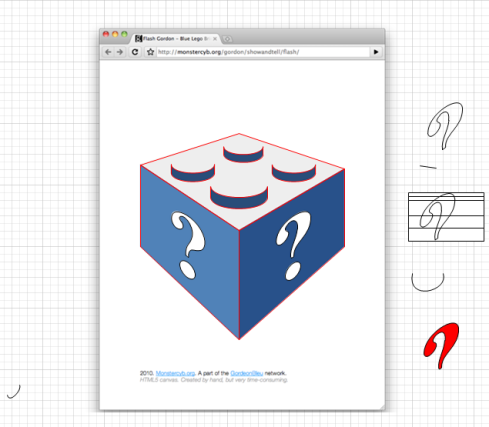 Thanks to monstercyb.org for providing the image that I used for tracing.
Since Visio’s drawing tools kind of suck for tracing and creating free-form drawings, I created some new Bezier-curve-like shapes that helped ease the tracing of curves. They’re still experimental, but if you’re interested in these, be sure to leave a comment below. Let us know what you would use them for!
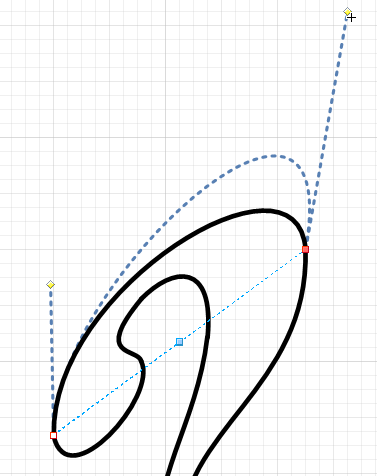
A Symbol of Mediocrity
The blue Lego is slowly becoming synonymous with “something’s missing here”. Sites like this are having a good laugh at the whole business, mostly poking fun at Apple, but extending the metaphor in all directions.
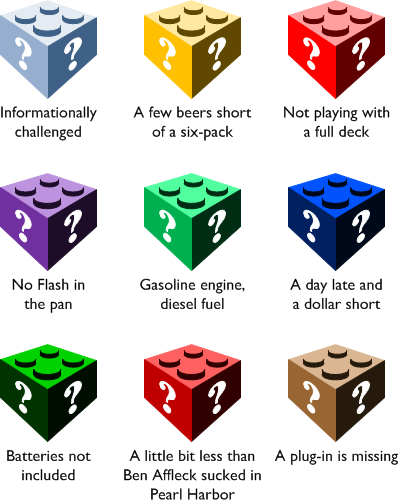
You too can indicate that something’s lacking in your diagrams, but you don’t have to settle for average, and you don’t have to settle for blue! The No Flash Blue Lego Visio Shape has built-in smarts so that it shades nicely when you change its color. Just pick a single fill color, and the shape changes nicely:
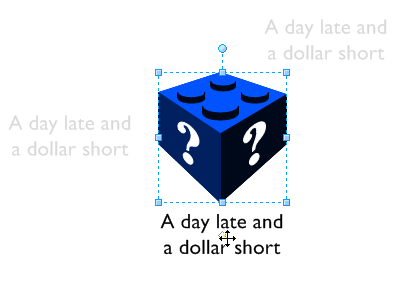
And like most Visio Guy shapes, you can quickly reposition the text by pulling on the yellow control handle:
Download “No Flash Blue Lego Visio Shape”
s!Aj0wJuswNyXlhXomqEcGPFmBReP3 – Downloaded 2330 times – 103.00 B
Chris,
Have you created a set of iOS UI elements by chance? I’d love a set of shapes that would allow me to quickly bang out UI thoughts.
I’d pay for ’em.
so what would really be ideal is if this shape could “snape” to similar shapes just like real Legos do.
I tried this some, but seem to run into 2 problems
1. cant seem to get a shape with 2 connection points able to bind
with 2 other shapes (can get either or…but not both)
2. Visio graphics engine does not maintain painting when a given
shape is too detailed (ie cant visual line up for connections…
wont bind).
@vojo,
Re: the curve tools,
I had to dig into the nurbs structure to get this to work, but I can’t figure out how link joints together.
@Fahrni,
No, haven’t gotten ’round to it yet, but something like that might help put a few cents in the ol’ college account for the young’n. 🙂