Share this:

" /> Visio Guy » SharePoint 2010, PowerPivot, Visio 2010 & Real Estate
2002 ford thunderbird very short hair styles for women 2011 thunderstorm wallpaper aston martin lagonda suv rover 3500 cool computer backgrounds for girls funny laws in united states glass flowers 2004 volvo v40 cute quotes on pictures 1983 malanca 125 e 2 cs ob one 5 n maybach exelero 2009 2008 vectrix electric maxi scooter map of africa and europe 2006 peugeot tkr 50 fahrenheit wallpaper dodge challenger 2009 wallpaper is justin bieber gay buy loreal makeup mitsubishi lancer evolution 8 wallpaper cool wallpapers for mobile phones romanticism art nature ural retro solo 750 jessica biel justin timberlake kiss bmw 118d coupe 1988 kawasaki kmx 125 (reduced effect) toyota corolla 2001 le toyota avalon 2010 change wallpaper map of norway airports map
Home » Power User, Visio 2010

SharePoint 2010, PowerPivot, Visio 2010 & Real Estate

Submitted by on July 12, 2010 – 7:07 am | | 9326 views No Comment

There’s a lot of buzz lately about Visio Services for SharePoint 2010.

It looks like it’s appeared on the Real Estate industry’s radar, as they seek to use tools to make their business more efficient.

Searching around to see how Visio is being used with other applications, and incorporated into corporate tool sets and workflows, I stumbled upon Sandy Jacolow’s Real Estate Technology Blog. Sandy provides strategic IT consultancy for the real estate industry, and is big into SharePoint and PowerPivot.

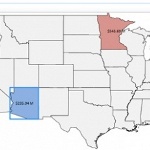
One article on his site outlines how Visio could be used to visualize sales information across regions. The article is fairly high-level, but it offers some food for thought. Check it out:

SharePoint 2010, PowerPivot and Visio – Providing Insight into Real Estate Data

What are you hoping to do with Visio Services and SharePoint? Let us know in the comments below!

Leave a comment!

Add your comment below, or trackback from your own site. You can also subscribe to these comments via RSS.

Be nice. Keep it clean. Stay on topic. No spam.

You can use these tags:
<a href="" title=""> <abbr title=""> <acronym title=""> <b> <blockquote cite=""> <cite> <code> <del datetime=""> <em> <i> <q cite=""> <strike> <strong>

This is a Gravatar-enabled weblog. To get your own globally-recognized-avatar, please register at Gravatar.

*