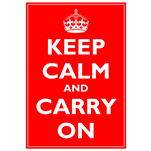
 You might have seen this poster around town, on the internet, or decorating a colleague’s belly. More likely you’ve seen a humorous variation–it seems to have developed into quite the meme as of late.
Maybe you have your own funny ideas, but have dreaded futzing with MS Paint to realize them? Well Keep Calm and Read On. It just got simpler!
I’ve created a Visio template that let’s you quickly edit the text and background color to create your own Keep Calm in a matter of seconds.
Examples
This is the kind of office resource wasting creative stuff you can create in minutes, using the template:
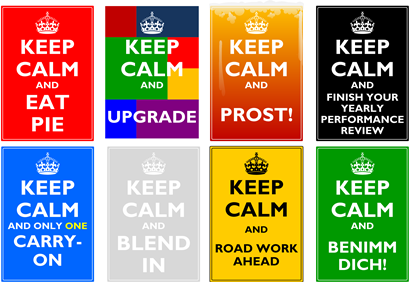
Lovely, just lovely!
Using the Template
In order to use the template, there’s not much to know. However, there are a few automated features built-in to make your “job” easier, so read on!
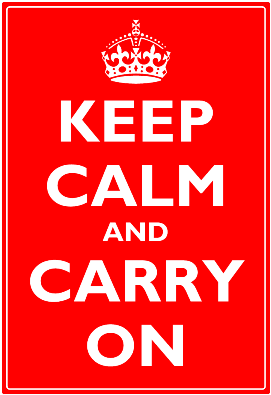
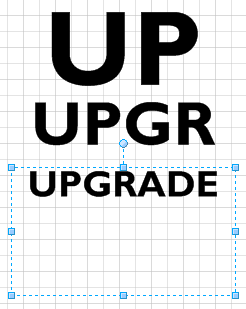
To get started, open the template and simply double-click the each text box to edit the text. As you type, the font size will decrease, so that the text fits inside the box. This is important for keeping the text properly spaced within the sign’s boundaries, and it removes the hassle of constantly having to fiddle with Visio’s font-size controls every time you change your message. Also, for page-sized signs, you’ll need 100+ pt sized text. Visio’s built-in font-size drop-downs only go up to 60 pt, which is another hassle–you have to explicitly type in large values. The auto behavior saves you a lot of time and grief.
Of course, you can fine-tune the font characteristics at any time. Set the color, style, font face, etc. to your heart’s content using Visio’s various formatting controls and dialogs.
If you find that you want the auto-sizing behavior back, simply right-click a text box and choose Font Size to Fit.
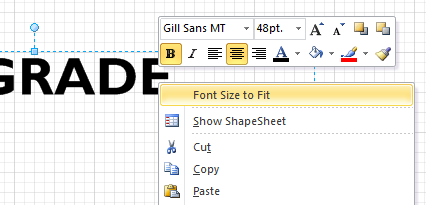
I used the font Gill Sans MT, with Bold applied. This was the best match to the original poster that I could find. Luckily, Gil Sans MT is is installed with Office 2003, 2007 and 2010, so there’s a good chance it’s on your PC already. If you don’t have that font, the text may look different from what you see on this page.
One last note: the download contains A4 and Letter sized templates for your metric and Imperial convenience.
Keep Calm and ENJOY!
Download “Keep Calm Visio Template”
s!Aj0wJuswNyXlhVm6Rckn4u2Ljqt3 – Downloaded 5569 times – 103.00 B
Leave a Reply