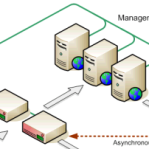
 Zeus Technology produces software and hardware for advanced traffic management and application acceleration. If you’re working with Zeus’ products, you’ll probably want to map out your system from time to time.
Well, the guys that put together the ZXTM KnowledgeHub blog have just published a set of 3D network shapes for Zeus’ ZXTM appliances. They have the look-and-feel of the other 3D network shapes that ship with Visio 2003 and are nicely crafted.
Go have a look!
Good work, KnowledgeHub Team!
Download “Zeus ZXTM Visio stencils”
zxtm_visio_stencils – Downloaded 11937 times –
How did they do the connector line in perspective?
Anyone know where I can get the actual .VSD for their sample diagram to analyze the connector lines. I’m having a lot of difficulty creating these.
Thanks.
Guys,
Check back in the next week or two. I’ve found an old prototype of an “oblique connector” that I will polish and post for downloading!
– Chris
I will get you guys the right connection to get your answer. Its on its way to me
Iztok Umek
Zeus Technology, Inc.
(o) 704 644 8516
(c) 704 806 2340
(f) 704 248 6249
(e) iztok.umek@zeus.com
(w) http://www.zeus.com
And if your looking to purchase the products or need a download. Email me at jcarey@abtechsystems.com
I do some illustration for Zeus when they don’t have me doing other stuff. I used Inkscape a lot for making SVG digrams. When I wanted to make an isometric diagram, I would just make the diagram on a square grid, select the whole thing, rotate it 45 degrees, then scale it vertically – usually about 45% – but this depends on the angle of the front-back lines on your set of shapes.
If you have arrows in your diagram, just convert the stroke to a shape and join the two objects in a boolean operation. This way, when you scale the shape, the arrow heads will keep the correct perspective.
An isometric mode would be cool in Inkscape though.
Hi Iztok.
Download link is broken.