 Visio People Shapes are very popular on this web site, and I just found an excuse to create some more!
Through the magic of Facebook and Twitter, I stumbled upon an interesting video from a very creative guy named Austin Kleon.
In the video, he shows us How to Draw Faces, using a humorously mathematical approach.
The technique translated quite well into a Visio SmartShape, which you can download here and use to add feeling and emotion to your diagrams!
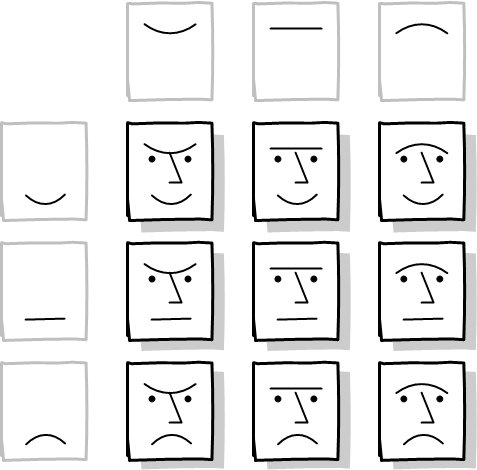
The video starts out with two mysterious axes of simple lines and curves:

When the matrix is filled in, we see the entire human experience summed up in a 3 x 3 matrix:
I was able to further reduce what it is to be a living, feeling carbon-based unit to a single Visio SmartShape. You can configure it, as usual, by right-clicking:
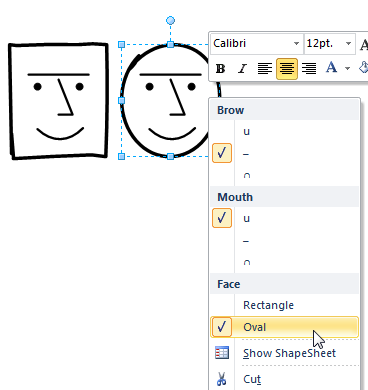
You can also set the options for multiple faces at once by selecting several shapes, then using Shape Data fields, which correspond to the menu items.
Download “Visio SmartFace”
s!Aj0wJuswNyXlhk5Mew47kHZ2DiEl – Downloaded 4408 times – 103.00 B
I would have included an extra dimension. Eyes open, closed, and winking.